
AI Auto Layout’s Winter Update delivers cleaner, more human-like routing with faster, more reliable results. It handles most of the routing workload so you can focus on the critical parts of your PCB design.
Copilot bridges the firmware<>hardware gap by providing firmware engineers with direct access to hardware information like netlists and pins, streamlining firmware development and reducing delays.
Firmware engineers often need to extract information directly from schematics or communicate with hardware designers to understand the hardware. This correspondence frequently occurs off-tool and is prone to miscommunications, leading to errors and inefficiencies.
Flux Copilot bridges this gap by providing firmware engineers with direct access to hardware information like netlists and pins, streamlining firmware development and reducing delays.
One significant hurdle is interpreting detailed PCB schematics to understand hardware connections and configurations. Firmware engineers are not necessarily experts in hardware, and, more often than not, they are not the ones who designed the hardware they work with. Writing the best firmware possible requires a deep understanding of the underlying electronics, but this process is often time-consuming and prone to errors for the firmware engineer.
Firmware engineers need efficient ways to verify their code against schematic designs, especially when hardware isn’t ready during the initial development phase. The development process becomes more complicated and error-prone without automated tools for testing initialization scripts, configuration files, and test plans.
AI bridges the gap between firmware and hardware by helping firmware engineers understand the target hardware and freeing hardware engineers to focus on design. By leveraging PCB schematic data, AI provides firmware engineers with detailed insights into the hardware implementation. This support allows them to develop, test, and optimize firmware more efficiently. Meanwhile, hardware engineers can concentrate on their core tasks without being bogged down by constant queries and support requests from firmware developers.
Copilot provides a range of powerful applications that significantly enhance the firmware development process. Here are some of the most impactful ways AI can streamline and improve firmware engineering:
Automatically generate mappings of microcontroller pins to connected components, saving time and minimizing setup errors.

Review GPIO assignments and peripheral setups to simplify firmware development with schematic-based guidance.

Provide configuration files and initialization scripts based on netlist data, enhancing resource management and firmware performance.

Generate comprehensive code documentation that includes hardware connections, initialization procedures, and configuration settings, improving code maintainability and team collaboration.

AI-Firmware represents a significant leap in firmware development efficiency. Increased collaboration between engineers creates more efficient workflows, automates tedious tasks, and allows engineers to focus on complex problem-solving and innovation. The benefits of this new feature are clear:
With AI-Firmware, Flux continues to push the boundaries of what’s possible in hardware design and firmware development. AI-Firmware breaks down the barriers between hardware designers and firmware engineers so that your team can bring products to market at a lower budget and in less time.
Want to explore how AI-Firmware can transform your workflow? Sign up for Flux today.
Design review is one of the most time-consuming and expensive parts of the hardware design process. Most engineers spend over 30% of their time performing design reviews. What if we could reduce that so that products could ship 30% faster and 30% cheaper?
Design reviews are still necessary because the only thing more time-consuming and expensive is missing errors and catching them once you’re already in production. If you want to get hardware to production faster, without mistakes, you need to streamline your design review process. AI like Flux Copilot can automate these menial tasks so that engineers can save time and instead focus their efforts on more high-leverage tasks.
Flux Copilot lives inside of your project, meaning that it understands the context of your design - including the components and the information inside of their datasheets. Copilot understands the intricate interconnections between components on your schematic, and with Copilot Presets, it even understands your design goals such as power consumption, pricing, and operating conditions. You can't be an expert at everything, but Copilot can.
If you’re interested in incorporating AI design reviews into your current workflow contact sales today. Now, read on to learn about how we’re using Copilot to reimagine design reviews, and what our vision for the future looks like.
When your team has finally designed a schematic, the design should be reviewed to confirm the expected functionality. This can come in many forms, but, on the highest level, functional verification comes down to ensuring that your design uses the right combination of components, in the right conditions, and with the right surrounding circuitry.
There are many ways that AI can assist in this process. Flux Copilot lives inside of your project, meaning that it has full access to your design - including the components and all of the information inside of their datasheets. Copilot understands the intricate interconnections between components on your schematic, and with Copilot Presets, it even understands your design goals such as power consumption, pricing, and operating conditions.
Some of the most valuable functional review use cases that Flux users have been benefiting from include
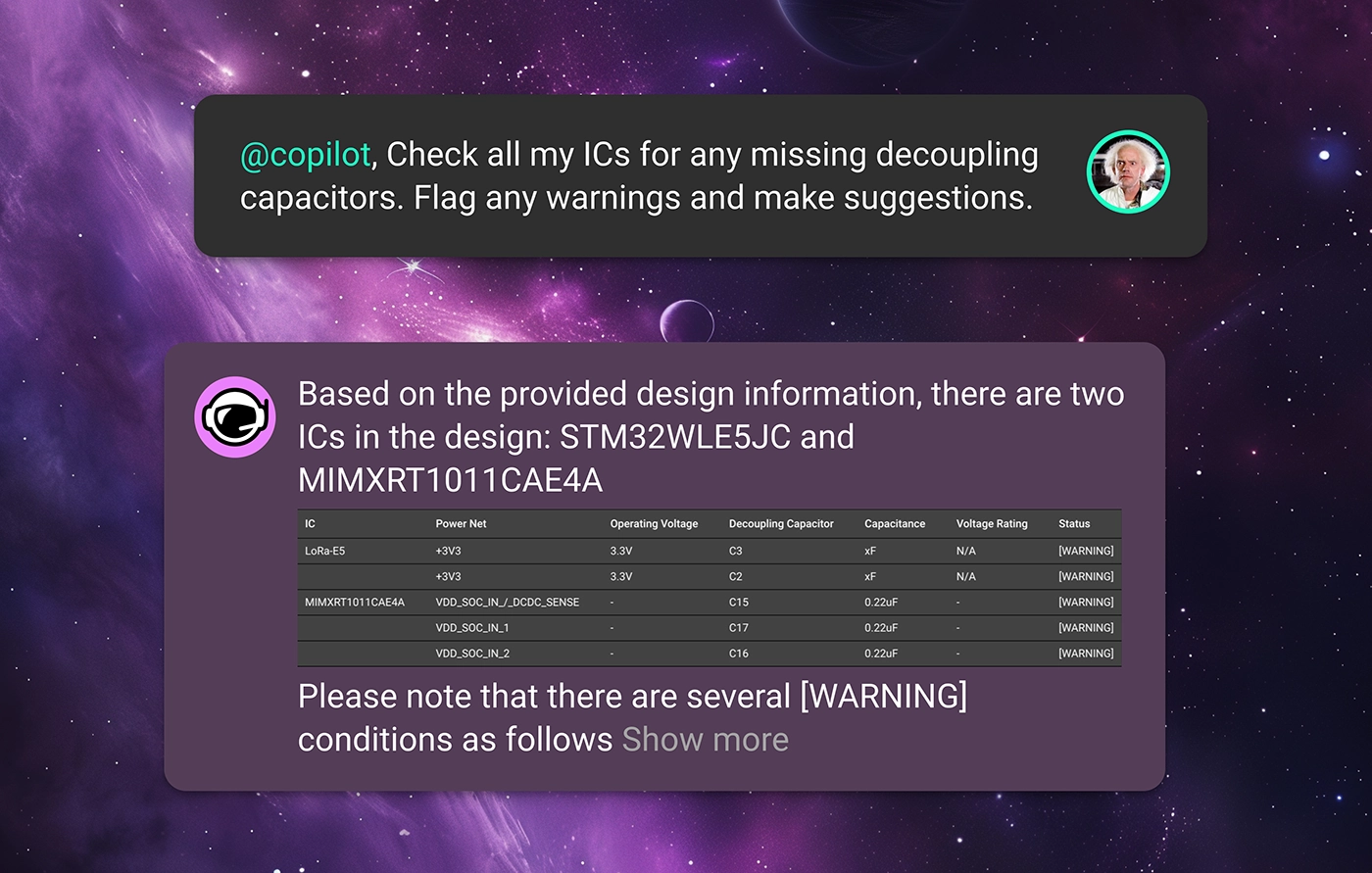
Copilot scrutinizes each IC pin in the schematic to ensure that a decoupling capacitor is present if required. It also verifies that each capacitor is appropriately rated for voltage and capacitance, ensuring that ICs operate within stable electrical environments without manual verification. Simply ask Copilot
For pins that require pull-up or pull-down resistors to maintain correct logic levels, Copilot ensures these resistors are present and correctly valued. This review helps maintain functional integrity throughout digital circuits, especially in complex designs. An example prompt might be

Copilot can check that all components requiring power are correctly connected to power sources and that all grounds are properly established. This ensures no component is left unpowered or incorrectly grounded, which is crucial for circuit functionality. Try asking
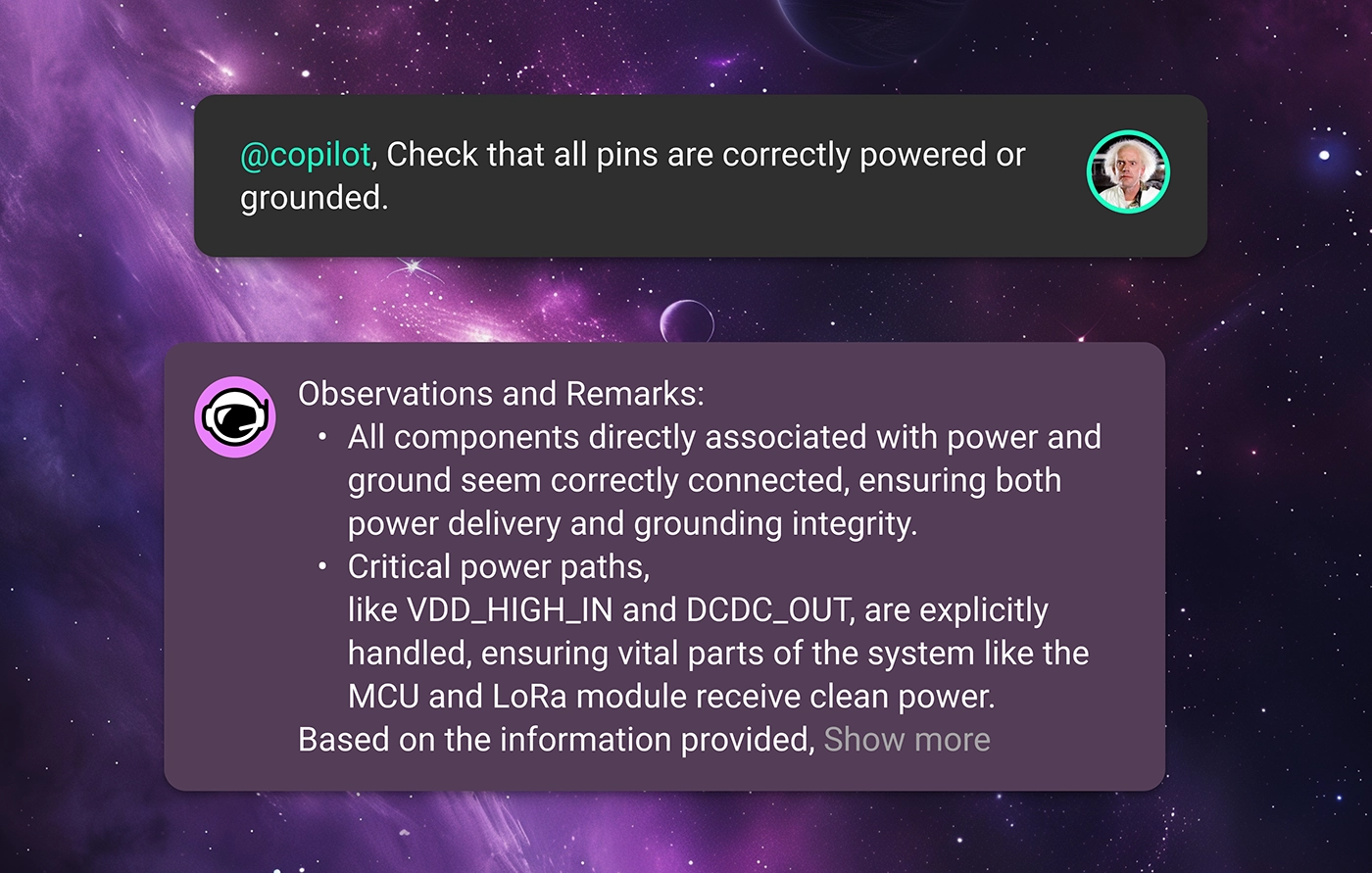
In each of these prompt examples, Copilot will read through component datasheets, check the context of your design, and provide expert-level feedback to your team. That way, errors can be caught earlier on and not propagate deeper into your design’s lifecycle.
It’s one thing for your design to work, but, for a product to work reliably, it needs to be compliant with industry standards and regulations as well as your enterprise’s internal standards. This is often one of the biggest headaches in bringing a product to market.
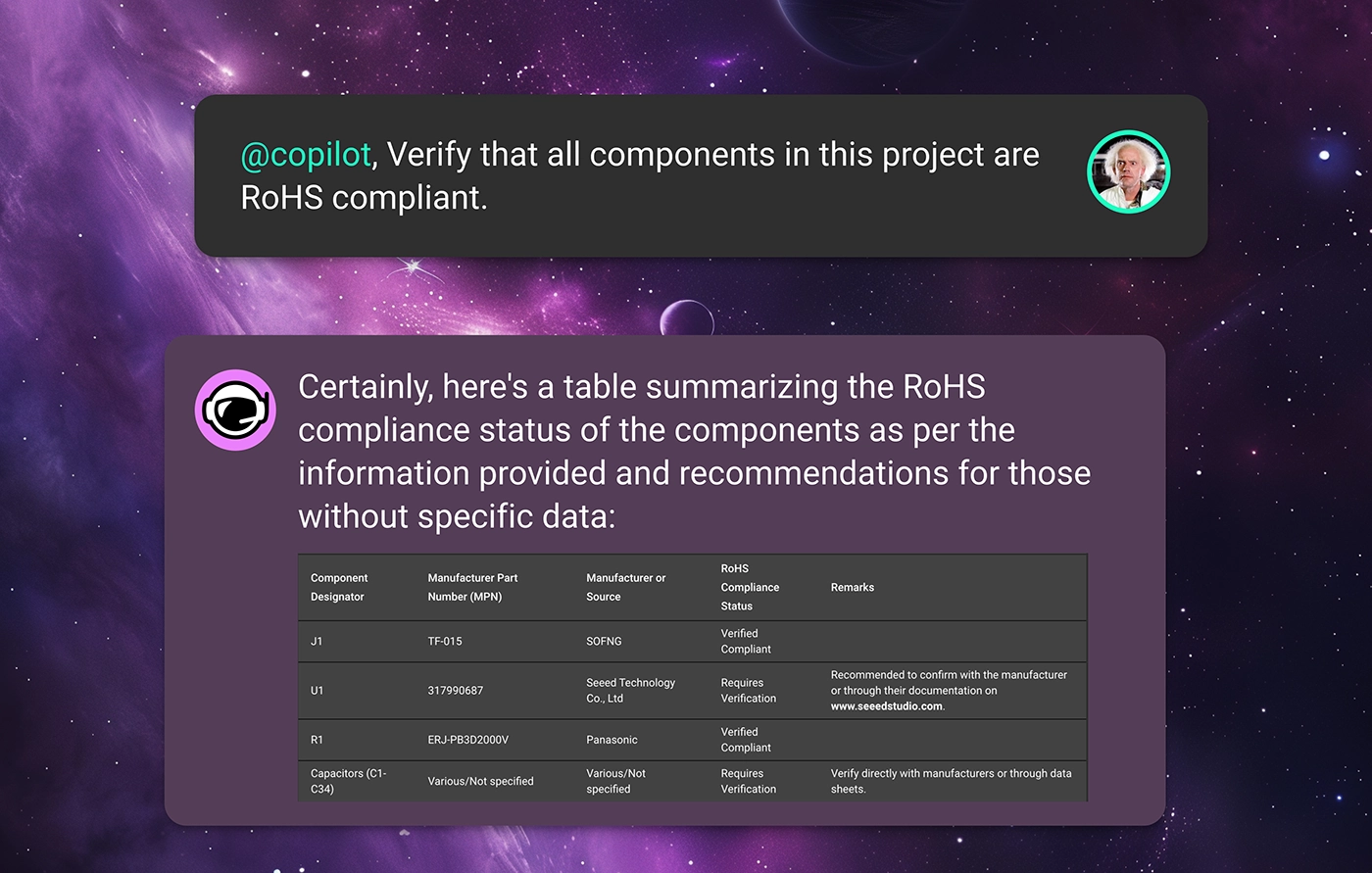
For example, maybe the product team requires that your design achieves certain product certifications, meaning that there are rigid compliance standards to adhere to. Checking all the parts in your BOM to ensure that they meet your project requirements takes forever. In a situation like this, Copilot can ensure that the schematic design adheres to specific industry or environmental standards or regulations by checking component specifications and circuit configurations against predefined criteria. For example, ask Copilot
Or maybe your organization has strict design rules that should be adhered to concerning temperature ratings, power ratings, or derating characteristics. With Flux, every organization can define its specific design constraints using Copilot Templates. These templates are a place for your organization to define its project requirements so that Copilot can check your design against these rules to ensure that your design is meeting expectations.
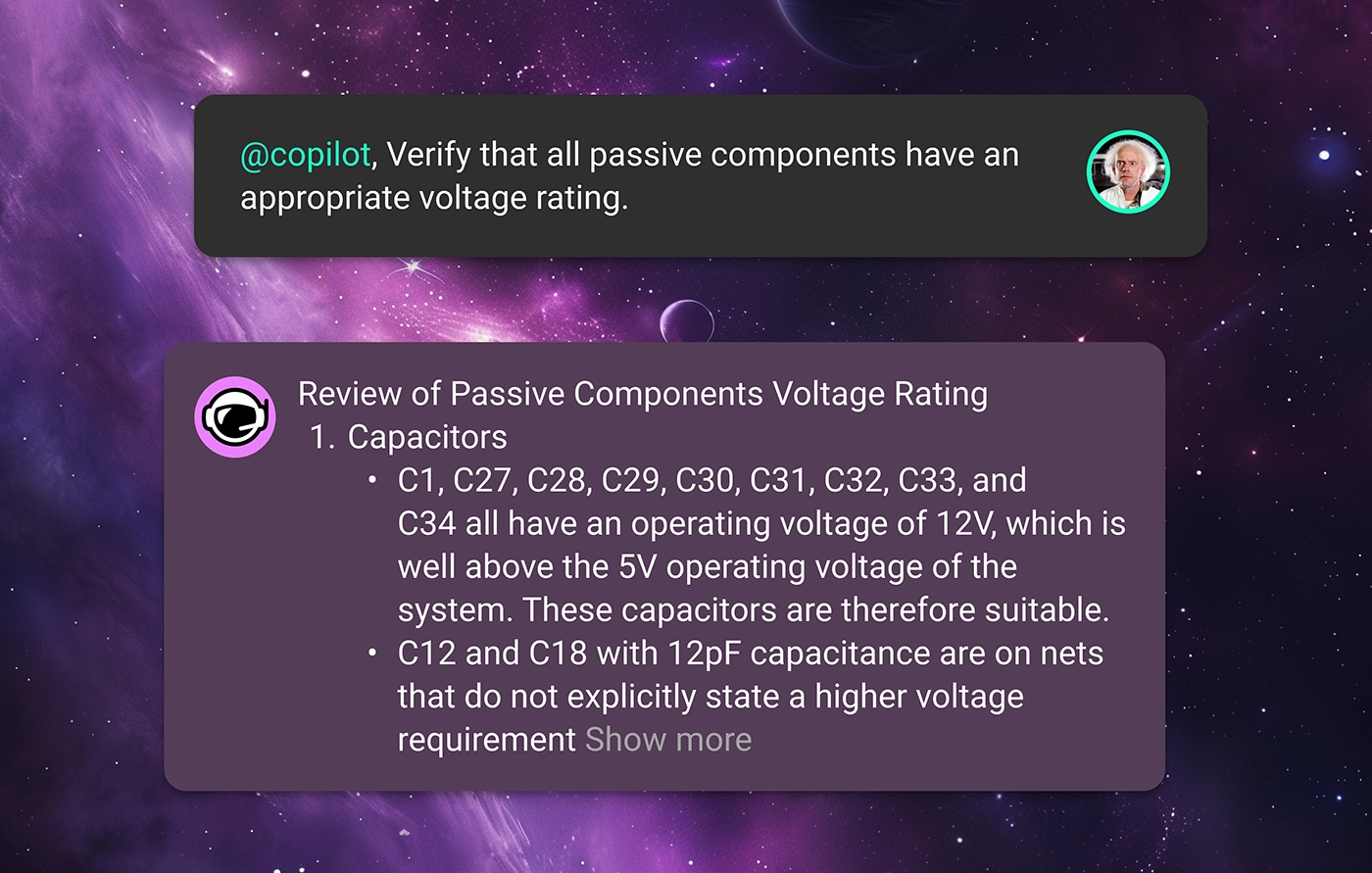
With this knowledge, Copilot can read through datasheets to automatically verify that each component’s ratings are suitable for the intended application, reducing the risk of component failure under operational conditions. Just ask Copilot something like
With Copilot’s insight, you can ensure that your product reaches compliance with fewer design revisions, helping your team get the product to market faster.
Launching a product in the modern marketplace undoubtedly requires a design that is robust against supply chain volatility.
How many times have you finished a circuit design only to find out that one or more of the components has 10+ week lead times? When you’re trying to get a product to market, you can’t be at the whims of the post-COVID electronics supply chain.
Want to see if the parts in your BOM are all sourceable? Flux offers built-in integrations with industry-standard suppliers like Mouser, DigiKey, and LCSC to provide real-time pricing and availability data for all of the parts in your design.
Then, if you're in need of component alternates, Copilot does the hard work for you. Thanks to our partnership with UltraLibrarian, Flux Copilot has access to thousands of the industry’s favorite parts right in the Flux Library. That means that Copilot can search through its database of components, comparing datasheets and availability data with your original part to find the most ideal drop-in alternates for your design. Ask copilot
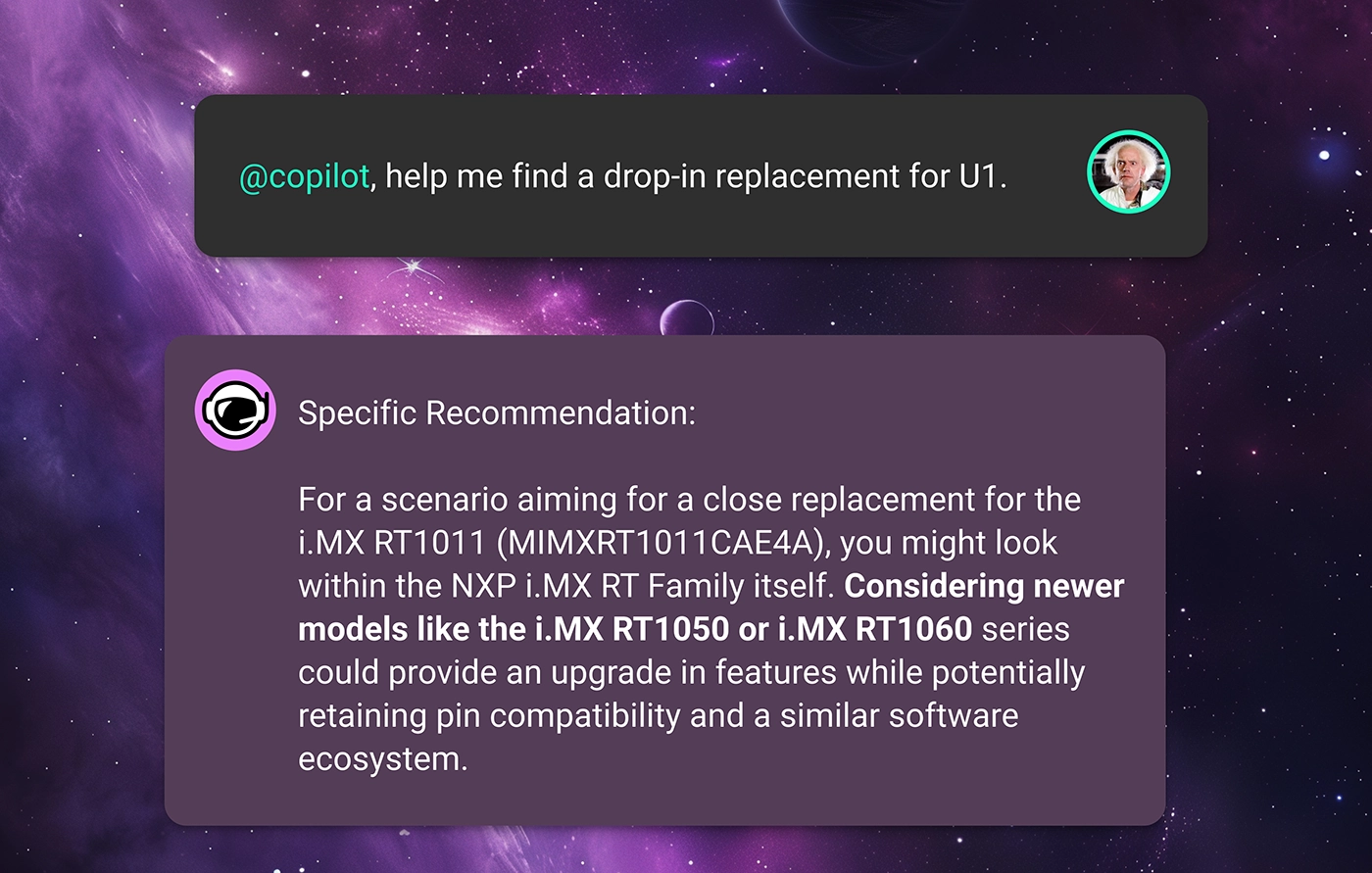
Free your team from volatile supply-chain fluctuations and ship products on your own schedule.
This is only what’s possible with Copilot and AI today. In the future, we imagine a world where AI can do much more.
What if AI could continuously review your design in real time without being prompted? What if we could harness AI to make sure that there were no design errors ever, and first revision designs were good enough for production? We are building a future where faster and more continuous design reviews enable a completely new way of working, regardless of your platform or workflow.
At Flux, we believe that those “what-ifs” don’t have to be dreams. We are constantly working to make them a reality.
Want to learn more about how Flux’s AI can help revolutionize hardware design? Sign up for Flux today.
Testing plays a major role in minimizing errors during mass production, yet creating thorough test plans can be challenging and time-consuming.. That’s why we're excited to introduce AI-generated test plans and collaborative workflows, ensuring your hardware is manufactured error-free!
The first challenge is identifying which aspects of the prototype need testing. Just because a prototype functions correctly doesn't guarantee it's ready for mass manufacturing. Certain signals that appear stable in prototype testing might fall out of spec under the stresses of mass production. Identifying and correcting these discrepancies early is crucial. Resolving errors discovered at the mass manufacturing stage can be exceedingly costly..
Copilot understands the detailed interplay between all the components in your design and has expert-level knowledge of electronics fundamentals. It uses this expertise to identify which signals are most critical and which are likely to fail based on conventional EE concepts and the specifics of your design.

Now Copilot has helped you understand which signals to keep an eye on. But still, the question remains: how do I go about testing my signals? This is where a well-detailed test plan comes into play.
Some of the most important questions to address in a test plan include
Copilot helps your team answer all of these questions by developing comprehensive and robust test plans for your design. Simply prompt Copilot with a question like

With a comprehensive test plan, your team can ensure that any design errors get caught early in the process and well before you go to production. This means your team can spend less time correcting errors and less money on unnecessary design revisions. Ultimately, that translates to higher quality products and faster time to market.
Once you’ve executed the test plan, you’ll need to interpret your results and solve any design issues that have been revealed.
You can directly provide Copilot with the results from your test. For example, you can attach a screenshot of your oscilloscope’s capture to give it more context. Your prompt might then look something like this
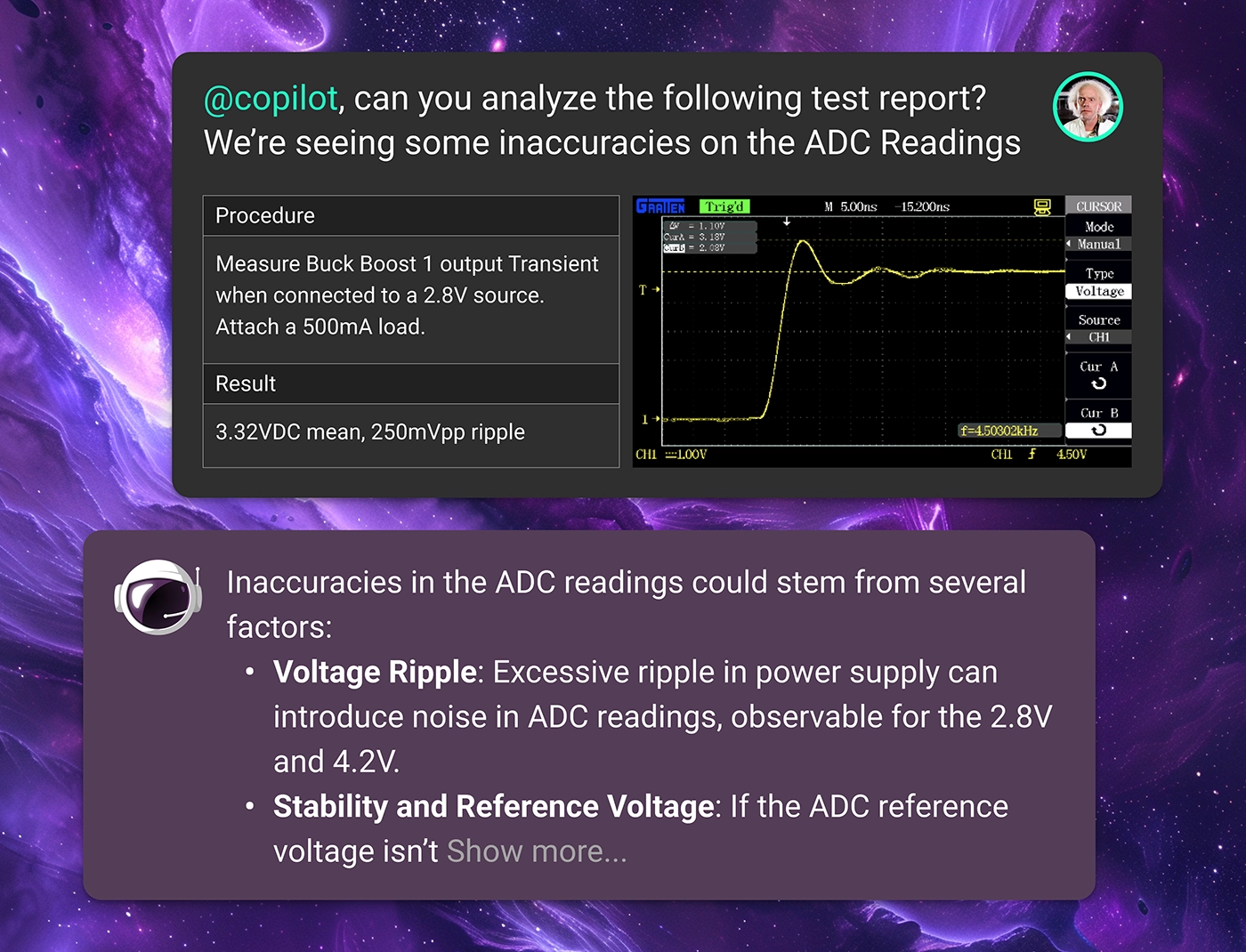
Flux not only streamlines the testing and debugging process but also enhances the way test engineers and designers collaborate on projects. By integrating collaboration within the design tool, Flux ensures that all team members have real-time access to test data, design changes, and analytical insights. This seamless integration allows for immediate feedback loops and faster decision-making, which is crucial when addressing complex design challenges
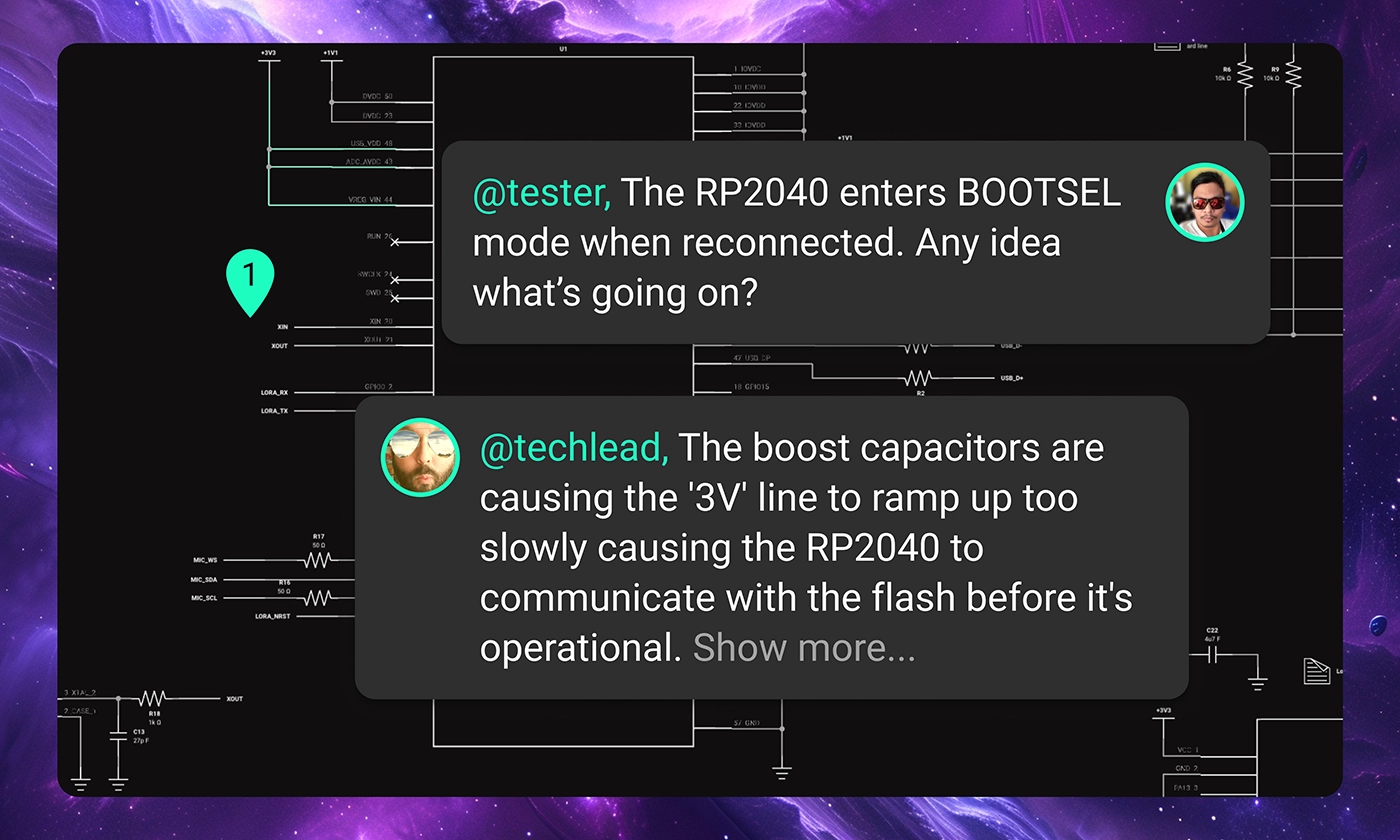
With Flux, your team can swiftly move from identifying issues to implementing solutions, accelerating the development cycle and enhancing overall productivity.
Don’t let a clunky testing and debug workflow lead to product failures. Flux can help you streamline the process so that your team can bring high-quality products to market in less time and at a lower cost without sacrificing quality.
Want to learn more about how Flux can help revolutionize hardware design? Sign up for Flux today.

With Flux, enterprises can take their architectural ideas and use AI to transform those ideas into actionable items. With Copilot, your enterprise can generate schematics, perform AI design reviews, and even identify PCB technology, budgets, and timelines well in advance of any manufacturing.
At this point, your team has a block diagram. Still, your project is mostly abstract. The Component and Technology Selection phase is where things start to get tangible. With a detailed block diagram as the phases’ input, it's time to start selecting components and putting a real system together.
With Flux, your team can use AI to expedite everything in this phase, from component selection and design review to cost estimation and sourcing.
Let’s discuss how AI can take your team’s architectural ideas and help them select components and identify core technologies.
The first step in this phase is to start selecting components, and that’s one place where Copilot really shines. Copilot is guided by your company’s guidelines, including regulatory requirements, pricing, power consumption, operating conditions, and more. With these parameters defined in a Template, Copilot finds the best components that fit your specific project requirements.
Start by providing Copilot with your architecture as a block diagram and asking:
@copilot, here’s my system block diagram. What major components will be necessary to make it work?

Right off the bat, Copilot can provide clarity, insight, and direction to your project by identifying the major components and subsystems necessary for your project. Maybe your system needs an MCU and numerous sensors. Or maybe a single, highly integrated SoC can meet your needs. Copilot will provide options and specific component possibilities to help you make these decisions.
Copilot will also make sure that you have many options. To get a breadth of options and achieve greater design flexibility, just ask Copilot:
@copilot, please provide me multiple component options for each different block in my diagram

By analyzing vast databases of technical specifications and performance metrics, Copilot can help your team choose the most suitable components based on your unique needs for performance, cost, and supplier reliability.
If supply or cost becomes an issue, Copilot can help your team compare parts and evaluate potential alternatives. Just ask Copilot:
@copilot, could you please provide me with drop-in replacement alternates for U1?

Copilot can evaluate multiple parts and alternatives for the same component, comparing manufacturer availability so that you can guarantee your design will withstand the challenges of a volatile supply chain.
Copilot also aids the business side of things. With access to Flux’s native cost estimation tools that help project your BOM’s cost, Copilot can provide your team with a comprehensive understanding of the project’s financial aspects from the outset. With Flux’s real-time integration with manufacturer databases, your team can access real-time pricing and availability data to ensure that your components are under budget and easily sourced.
With Copilot’s help, at the end of the component selection phase, you should have yourself a high-level schematic diagram.
Once you have a schematic, it’s time to double-check your work. Flux Copilot can use your requirements to perform an initial review of the first schematic draft, identifying potential design inefficiencies, compatibility issues, and areas for optimization.
One aspect of this is component validation, where Copilot can help ensure that your components are interoperable, based on requirements like voltage range, communication interfaces, and clock speeds. For example, ask Copilot:

Copilot will then read through your parts datasheets, review their schematic interconnections, and provide you feedback on their interoperability.
Architectural validation is where Copilot can review the block diagram generated in the previous step and validate that the core components selected match the target use case. For example, you can ask Copilot:
@copilot, here's the block diagram I've created and here is my schematic. Do things match up?
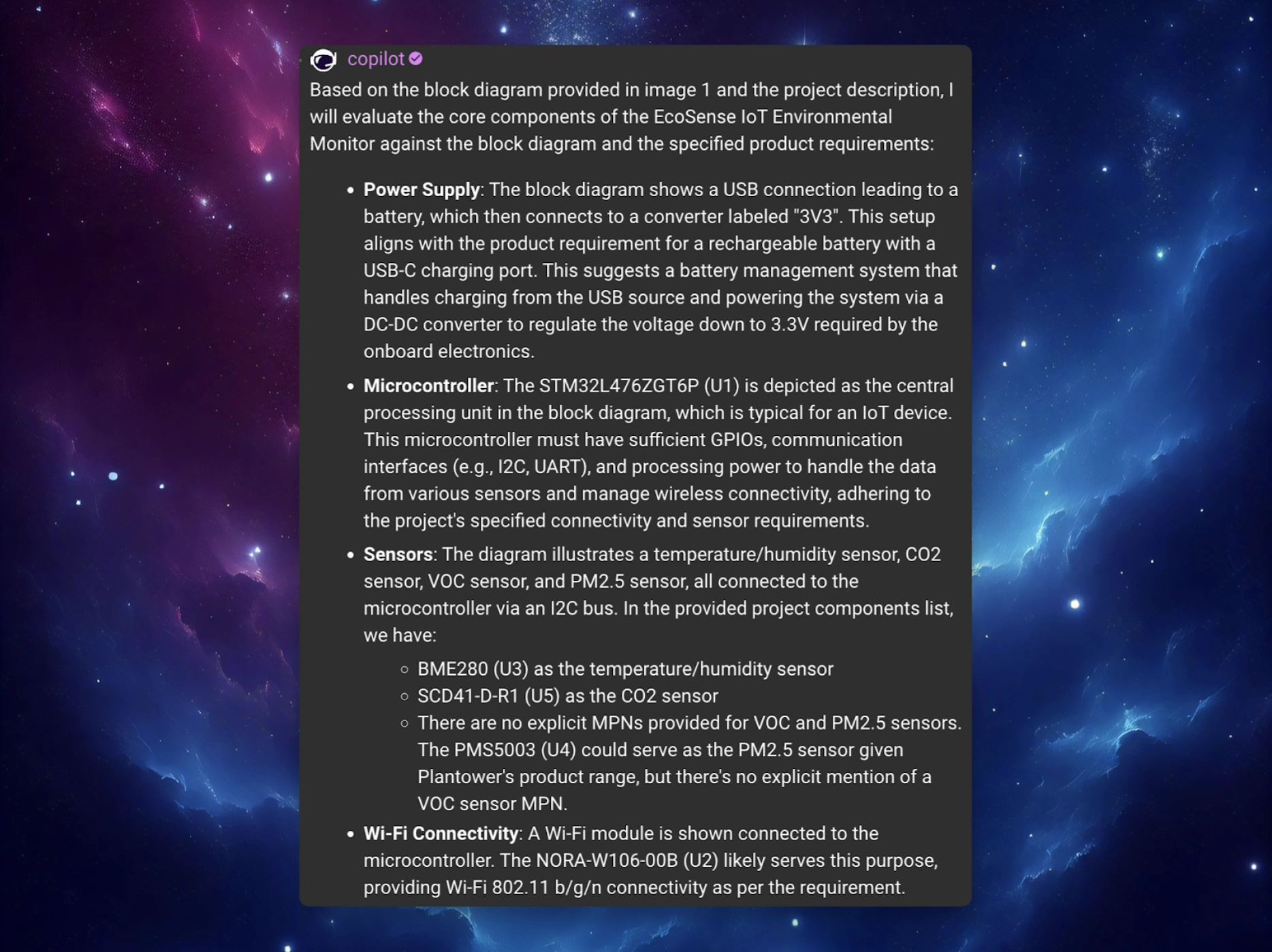
Or, Copilot can help evaluate candidate parts to match the project’s requirements and standards, including your organization-specific standards. For example, if your project is operating under a tight power requirement, you could ask Copilot:
@copilot, does my schematic meet my power requirements?
Copilot will read datasheets and interpret your schematic to estimate the system’s power consumption. It can then offer suggestions to help lower the power consumption, if necessary.
Once the schematic has been reviewed and ironed out, your engineers and product team must work together to define the project’s path forward. From the engineering side, you’ll want to identify the PCB technology requirements to make such a system work.
While your team is still early on in the design process, this kind of foresight can help you create accurate and realistic timelines and budgets for your project. At this point, Copilot knows all of your project requirements and has context for all of your core components. With this knowledge, Copilot can help your team get a feel for the project’s necessary investment concerning development time, costs, and revisions. The engineering and product teams can be aligned on the project outlook and understand the steps necessary to bring your product to market.
For example, based on the design requirements and constraints, Flux Copilot can recommend the most suitable PCB technologies for your project. By taking into consideration factors like layer count, material, and manufacturing capabilities, Copilot can make sure that your team is working towards a manufacturable design from the very beginning. Ask Copilot a question like:
@copilot, given this schematic, roughly what’s the ideal stack up for my PCB design?

With Flux, enterprises can take their architectural ideas and use AI to transform those ideas into actionable items. With Copilot, your enterprise can generate schematics, perform AI design reviews, and even identify PCB technology, budgets, and timelines well in advance of any manufacturing.
Want to learn more about how Flux’s AI can help revolutionize hardware design? Sign up for Flux today.
With Copilot, the brainstorming process is easy. Given your requirements, just prompt Copilot and it will dynamically generate and evaluate architectural variations, balancing technical specifications and regulatory requirements in real time.
At Flux, we envision a different approach. Flux transforms architectural design by leveraging AI to rapidly generate and evaluate a wider range of options against your specific product requirements, ensuring a more effective selection process that leads to optimal outcomes. Here’s how:
To begin, you can simply have a conversation with Copilot about what you intend to build using as much information as you know. Copilot can use your requirements and constraints to explore many different architectural ideas and variations quickly.
You can also start with a Copilot Template with your design requirements objectives, constraints and regulatory aims, Copilot will use these guardrails to help find the best architectural solution that fits within your enterprise’s unique requirements. The more Copilot knows about what you want to build, the smarter architectural design recommendations it can make.
Simply add properties to your project like operating voltage and temperature, human interface, connectivity, and power requirements to give Copilot more context. Feel free to check out the full list of project requirements we used in this Audio Amplifier example.
For example, you can ask Copilot something like
@copilot, I'd like to build a smart curtain that opens or closes based on the amount of sunshine I want to enter my room. How would you approach designing this? Please ask me questions to help with the development?
If you already have ideas and need help brainstorming, communicating with Copilot is intuitive and flexible. Already started working on a whiteboard sketch? Prefer working with figures and block diagrams? Just send Copilot images of your block diagrams or sketches and watch it convert them into actionable specifications and feedback.
With Copilot, the brainstorming process is easy.
Given your requirements, just prompt Copilot and it will dynamically generate and evaluate architectural variations, balancing technical specifications and regulatory requirements in real time. For example, you could ask Copilot
@copilot, based on my requirements, help me figure out the best power architecture for this project. What should the power tree look like?
or
@copilot, brainstorm a few architecture options for this project. Compare all options in terms of total BoM cost and time to market. Particularly consider: Should I use modules or standalone MCUs?
Watch as Copilot transforms your requirements into detailed, actionable architectures and block diagrams. This direct translation from concept to plan streamlines the initial step of architectural design, ensuring your ideas are grounded in reality from the outset. And the automation of the process allows Copilot to generate multiple architectural solutions for you to choose from. This breadth of exploration ensures that every possible avenue is considered.
You can create a block diagram by asking Copilot something like
@copilot, please create a mermaid-formatted block diagram for this architecture.
Copilot can then help you in iterating on your design. Think of working with Copilot as a natural, free-flowing conversation. Working with Copilot in a back-and-forth feedback loop is the best way to ensure the optimal final result.
For real examples of using Copilot of brainstorm and generate architecture options, check out these project demos:
Copilot’s outputs improve the hardware design process significantly. But still, you and your team will want to evaluate your options and decided on the best path forward.
Flux's environment is designed for collaboration, enabling multiple stakeholders to engage in the architectural drafting process simultaneously. With built in-project commenting, everyone in your organization can share their thoughts and see the feedback of others. That way, the whole team is on the same page and all ideas are taken into consideration. And, with automatic version control, your team is free to experiment and iterate on different approaches, knowing that no idea is ever lost.
If you needed more support, you can bring Copilot back into the loop as a design review partner. Ask Copilot to review your chosen architecture, make suggestions, and offer improvements.
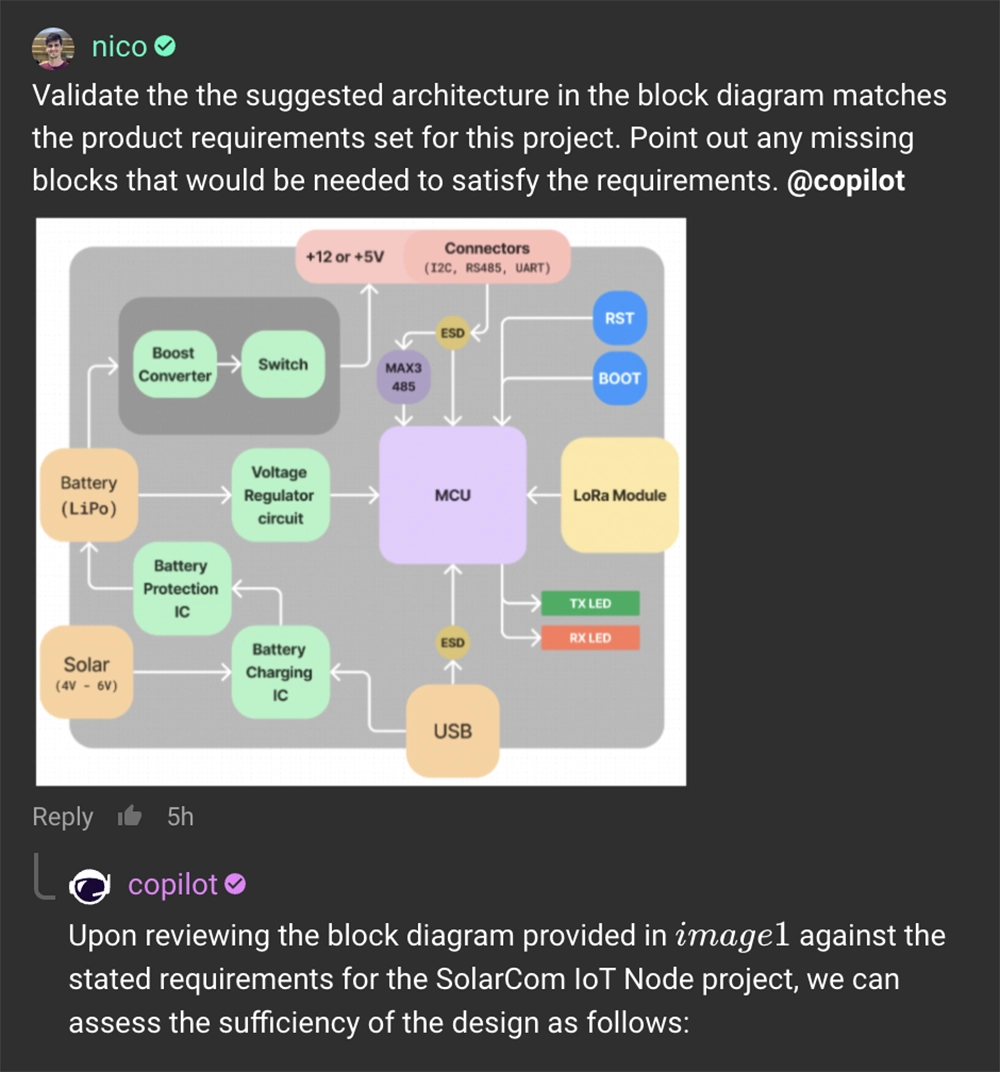
What’s more - by embedding the architecture directly into the design tool, Flux ensures that these foundational decisions guide and inform all subsequent stages, from component selection to detailed design, keeping critical information accessible and actionable throughout the project lifecycle.
Using Flux, enterprises can integrate AI into their workflows, making for better decision-making, reduced risk of error, and faster times to ship products. With the ability to adhere to your requirements and specifications, generate multiple architectural options, and bring together multiple stakeholders, Flux is reimagining the architecture design process.
Want to learn more about how Flux can help revolutionize hardware design? Sign up today.
Hardware just got a little less hard. See how Flux reduces busy work, keeps your team in sync, and gives you AI superpowers.
Today, we're thrilled to unveil a video that tells the story of that vision and the exciting future we're building together. We interviewed real Flux users — real professional Electrical Engineers — to showcase the power of Flux and Copilot. The reactions we got were priceless. You can practically see the lightbulbs clicking on in their heads.
We’d like to thank our community for sharing their amazing stories and joining us on this journey to take the hard out of hardware!
Onward and Upward 🚀,
Matthias & Lance