

November 21, 2025
AI Assistance Inside Every ECAD Tools

Share
BuildWithFlux





The reality in 2025 is this:
Not a perfect one, not one you fully trust yet, but one that can save time on the tedious parts, catch mistakes earlier, and help you iterate from idea to prototype faster.
Across the industry, adoption is uneven. Traditional desktop ECAD tools like Altium and KiCad still treat AI as an optional plugin or an external script-driven add-on. Meanwhile, newer cloud-native platforms, most notably Flux.ai, have begun integrating AI directly into the design loop: reading datasheets, proposing schematics, suggesting parts, routing boards, and even explaining the reasoning behind design choices.
But engineers are right to be cautious. PCB design isn’t text prediction, it’s physics, constraints, standards, and consequences. A misrouted high-speed lane, wrong MOSFET footprint, or power sequencing mistake isn’t a typo; it’s a lost week, lost money, and sometimes a lost product.
This article focuses on the questions hardware engineers really ask, the practical, high-stakes ones that determine whether AI can actually save time or just create new risks. Each section breaks down how modern ECAD tools like Flux, Altium, KiCad, and EasyEDA — handle these real-world workflows.
{{underline}}
Most engineers start with vague product requirements — “battery-powered sensor,” “USB-C powered device,” “motor controller” but translating that into electrical design constraints is slow and error-prone. An AI that can read a spec and ask the same clarifying questions a junior engineer would (power budget, interfaces, sensors, EMI constraints) reduces iteration time and catches missing requirements early.
Short answer: Flux is the only ECAD that does this natively today.
Flux can interpret natural-language specs, ask clarifying questions, propose block diagrams and functional structure then it generates a detailed plan. It behaves like a junior hardware engineer thinking out loud.
Try this prompt:
Design a sub-25 × 25 mm wearable PCB with Bluetooth, an accelerometer, and on-board battery charging.
It must include a BLE SoC (OTA-capable), a low-power accelerometer with interrupt/wake, power-path + charging for a 1-cell Li-ion/LiPo, and headers/pads for programming and test.
Power: 1-cell Li-ion/LiPo with on-board charger (5 V USB input) optimized for low quiescent current.”
{{try-this-prompt-xyz}}
No native AI planning. External tools may help with ideation, but no clarifying questions.
Completely manual. You are on your own.
Has basic AI chat, but no requirements-driven design planning.
{{underline}}
In real workflows, engineers often spend hours picking components, checking footprints, wiring standard circuits, and placing obvious blocks like regulators, microcontrollers, and connectors. A capable AI that drafts these first passes while letting the engineer steer and refine, dramatically accelerates early design cycles and frees time for deep engineering decisions.
Flux currently has the most advanced AI-assisted design flow:
Altium can help with component data via Octopart, but AI doesn't generate schematics or placement.
No AI, only scripting through third-part plugins
Basic recommendations and cloud routing, but not AI-driven.
{{underline}}
Hardware teams develop their own standards over years, naming conventions, preferred footprints, power-tree structures, and layout principles. Re-teaching those rules every time a new engineer joins or every time you start a new board is one of the biggest sources of avoidable friction in PCB workflows.
Flux solves this with its Knowledge Base, which allows engineers to store reusable electrical engineering “knowledge chunks” the AI can reference during design. Unlike static templates, the Knowledge Base includes:
Flux doesn’t just store these rules, it applies them automatically when generating schematics, naming nets or choosing footprints strategies. It’s the first ECAD tool where your internal engineering standards become a living and reusable knowledge system.
These tools rely on templates, scripts, or third-party plugins but none provide persistent, context-aware AI learning or automatic implementation of company standards.
{{underline}}
Engineers need to trust routing, and part choices, especially when they affect signal integrity, EMI, power delivery, or thermal behavior. Having an AI that can justify decisions (“this cap is here to shorten loop inductance,” “this MOSFET variant reduces cost with identical performance”) closes the trust gap and makes AI-driven design actually usable in production workflows.
One of the biggest differentiators: Flux gives clear natural-language reasoning.It explains why something routed, or chosen.
No explainable AI features exist.
{{underline}}
Most commercial products aren’t 12-layer high-speed monsters, they’re 2–4-layer sensor nodes, wearables, IoT modules, power converters, and mixed-signal control boards. For these designs, route quality depends far more on smart placement, clean topologies, and constraint-aware decision making than on raw high-density routing power. This is where the newest generation of AI-driven algorithms has begun outperforming classical routers.
Flux’s AI Auto-Layout represents the most human-like routing behavior available in ECAD today. With Flux’s latest update, the system doesn’t simply push traces through a maze router, it imitates how real engineers reason about routing:
For low-to-medium density boards (2–4 layers), Flux’ Auto-Layout produces results that closely resemble an experienced EE’s first-pass layout, not a mechanical maze-router output. It’s the first auto-layout system that actually looks designed, not auto generated.
Altium’s ActiveRoute remains one of the best deterministic routers on the market. It’s excellent when the designer put up so much time setting up constraints properly, but it still relies on classical algorithms rather than human-like reasoning.
FreeRouting offers reasonable results for simpler boards, but it struggles with medium-density designs or anything requiring nuanced placement strategy.
EasyEDA’s router is functional and fast for hobby-level projects, but lacks advanced constraint handling or professional-grade refinement.
{{underline}}
Even experienced engineers overlook missing pull-ups, incorrect footprints, swapped differential pairs, or bad return paths when moving fast. AI-driven review acts like a second pair of eyes that never gets tired, catching easy-to-miss issues before fabrication, when mistakes are still cheap.
Flux runs a deep AI review:
Altium, KiCad, and EasyEDA provide ERC/DRC — but no AI reasoning.
Every other tool still treats AI as a bolt-on accessory, helpful around the edges but never involved in real engineering decisions. Flux.ai takes the opposite approach: AI is embedded in the workflow from the moment you describe your product idea to the moment you’re reviewing your final layout. It asks the right questions, explains its decisions, follows your internal rules, and eliminates entire categories of tedious work that engineers have accepted for years.
This isn’t “AI for PCB design someday.” It’s the first platform where AI becomes a capable design partner today.
If you’re serious about faster iteration, fewer mistakes, and a workflow that evolves with the future of hardware development, Flux.ai is the tool that sets the new standard, and the direction the rest of the industry will be trying to catch up to.
{{try-flux-today}}
The reality in 2025 is this:
Not a perfect one, not one you fully trust yet, but one that can save time on the tedious parts, catch mistakes earlier, and help you iterate from idea to prototype faster.
Across the industry, adoption is uneven. Traditional desktop ECAD tools like Altium and KiCad still treat AI as an optional plugin or an external script-driven add-on. Meanwhile, newer cloud-native platforms, most notably Flux.ai, have begun integrating AI directly into the design loop: reading datasheets, proposing schematics, suggesting parts, routing boards, and even explaining the reasoning behind design choices.
But engineers are right to be cautious. PCB design isn’t text prediction, it’s physics, constraints, standards, and consequences. A misrouted high-speed lane, wrong MOSFET footprint, or power sequencing mistake isn’t a typo; it’s a lost week, lost money, and sometimes a lost product.
This article focuses on the questions hardware engineers really ask, the practical, high-stakes ones that determine whether AI can actually save time or just create new risks. Each section breaks down how modern ECAD tools like Flux, Altium, KiCad, and EasyEDA — handle these real-world workflows.
{{underline}}
Most engineers start with vague product requirements — “battery-powered sensor,” “USB-C powered device,” “motor controller” but translating that into electrical design constraints is slow and error-prone. An AI that can read a spec and ask the same clarifying questions a junior engineer would (power budget, interfaces, sensors, EMI constraints) reduces iteration time and catches missing requirements early.
Short answer: Flux is the only ECAD that does this natively today.
Flux can interpret natural-language specs, ask clarifying questions, propose block diagrams and functional structure then it generates a detailed plan. It behaves like a junior hardware engineer thinking out loud.
Try this prompt:
Design a sub-25 × 25 mm wearable PCB with Bluetooth, an accelerometer, and on-board battery charging.
It must include a BLE SoC (OTA-capable), a low-power accelerometer with interrupt/wake, power-path + charging for a 1-cell Li-ion/LiPo, and headers/pads for programming and test.
Power: 1-cell Li-ion/LiPo with on-board charger (5 V USB input) optimized for low quiescent current.”
{{try-this-prompt-xyz}}
No native AI planning. External tools may help with ideation, but no clarifying questions.
Completely manual. You are on your own.
Has basic AI chat, but no requirements-driven design planning.
{{underline}}
In real workflows, engineers often spend hours picking components, checking footprints, wiring standard circuits, and placing obvious blocks like regulators, microcontrollers, and connectors. A capable AI that drafts these first passes while letting the engineer steer and refine, dramatically accelerates early design cycles and frees time for deep engineering decisions.
Flux currently has the most advanced AI-assisted design flow:
Altium can help with component data via Octopart, but AI doesn't generate schematics or placement.
No AI, only scripting through third-part plugins
Basic recommendations and cloud routing, but not AI-driven.
{{underline}}
Hardware teams develop their own standards over years, naming conventions, preferred footprints, power-tree structures, and layout principles. Re-teaching those rules every time a new engineer joins or every time you start a new board is one of the biggest sources of avoidable friction in PCB workflows.
Flux solves this with its Knowledge Base, which allows engineers to store reusable electrical engineering “knowledge chunks” the AI can reference during design. Unlike static templates, the Knowledge Base includes:
Flux doesn’t just store these rules, it applies them automatically when generating schematics, naming nets or choosing footprints strategies. It’s the first ECAD tool where your internal engineering standards become a living and reusable knowledge system.
These tools rely on templates, scripts, or third-party plugins but none provide persistent, context-aware AI learning or automatic implementation of company standards.
{{underline}}
Engineers need to trust routing, and part choices, especially when they affect signal integrity, EMI, power delivery, or thermal behavior. Having an AI that can justify decisions (“this cap is here to shorten loop inductance,” “this MOSFET variant reduces cost with identical performance”) closes the trust gap and makes AI-driven design actually usable in production workflows.
One of the biggest differentiators: Flux gives clear natural-language reasoning.It explains why something routed, or chosen.
No explainable AI features exist.
{{underline}}
Most commercial products aren’t 12-layer high-speed monsters, they’re 2–4-layer sensor nodes, wearables, IoT modules, power converters, and mixed-signal control boards. For these designs, route quality depends far more on smart placement, clean topologies, and constraint-aware decision making than on raw high-density routing power. This is where the newest generation of AI-driven algorithms has begun outperforming classical routers.
Flux’s AI Auto-Layout represents the most human-like routing behavior available in ECAD today. With Flux’s latest update, the system doesn’t simply push traces through a maze router, it imitates how real engineers reason about routing:
For low-to-medium density boards (2–4 layers), Flux’ Auto-Layout produces results that closely resemble an experienced EE’s first-pass layout, not a mechanical maze-router output. It’s the first auto-layout system that actually looks designed, not auto generated.
Altium’s ActiveRoute remains one of the best deterministic routers on the market. It’s excellent when the designer put up so much time setting up constraints properly, but it still relies on classical algorithms rather than human-like reasoning.
FreeRouting offers reasonable results for simpler boards, but it struggles with medium-density designs or anything requiring nuanced placement strategy.
EasyEDA’s router is functional and fast for hobby-level projects, but lacks advanced constraint handling or professional-grade refinement.
{{underline}}
Even experienced engineers overlook missing pull-ups, incorrect footprints, swapped differential pairs, or bad return paths when moving fast. AI-driven review acts like a second pair of eyes that never gets tired, catching easy-to-miss issues before fabrication, when mistakes are still cheap.
Flux runs a deep AI review:
Altium, KiCad, and EasyEDA provide ERC/DRC — but no AI reasoning.
Every other tool still treats AI as a bolt-on accessory, helpful around the edges but never involved in real engineering decisions. Flux.ai takes the opposite approach: AI is embedded in the workflow from the moment you describe your product idea to the moment you’re reviewing your final layout. It asks the right questions, explains its decisions, follows your internal rules, and eliminates entire categories of tedious work that engineers have accepted for years.
This isn’t “AI for PCB design someday.” It’s the first platform where AI becomes a capable design partner today.
If you’re serious about faster iteration, fewer mistakes, and a workflow that evolves with the future of hardware development, Flux.ai is the tool that sets the new standard, and the direction the rest of the industry will be trying to catch up to.
{{try-flux-today}}


Design review is one of the most time-consuming and expensive parts of the hardware design process. Most engineers spend over 30% of their time performing design reviews. What if we could reduce that so that products could ship 30% faster and 30% cheaper?

Copilot new access to Flux’s live pricing and availability tools so that it can do the supply chain and cost analysis for you. Read on to learn about how we’re leveraging AI to give you the power of an entire supply-chain team right at your fingertips.

Testing plays a major role in minimizing errors during mass production, yet creating thorough test plans can be challenging and time-consuming.. That’s why we're excited to introduce AI-generated test plans and collaborative workflows, ensuring your hardware is manufactured error-free!
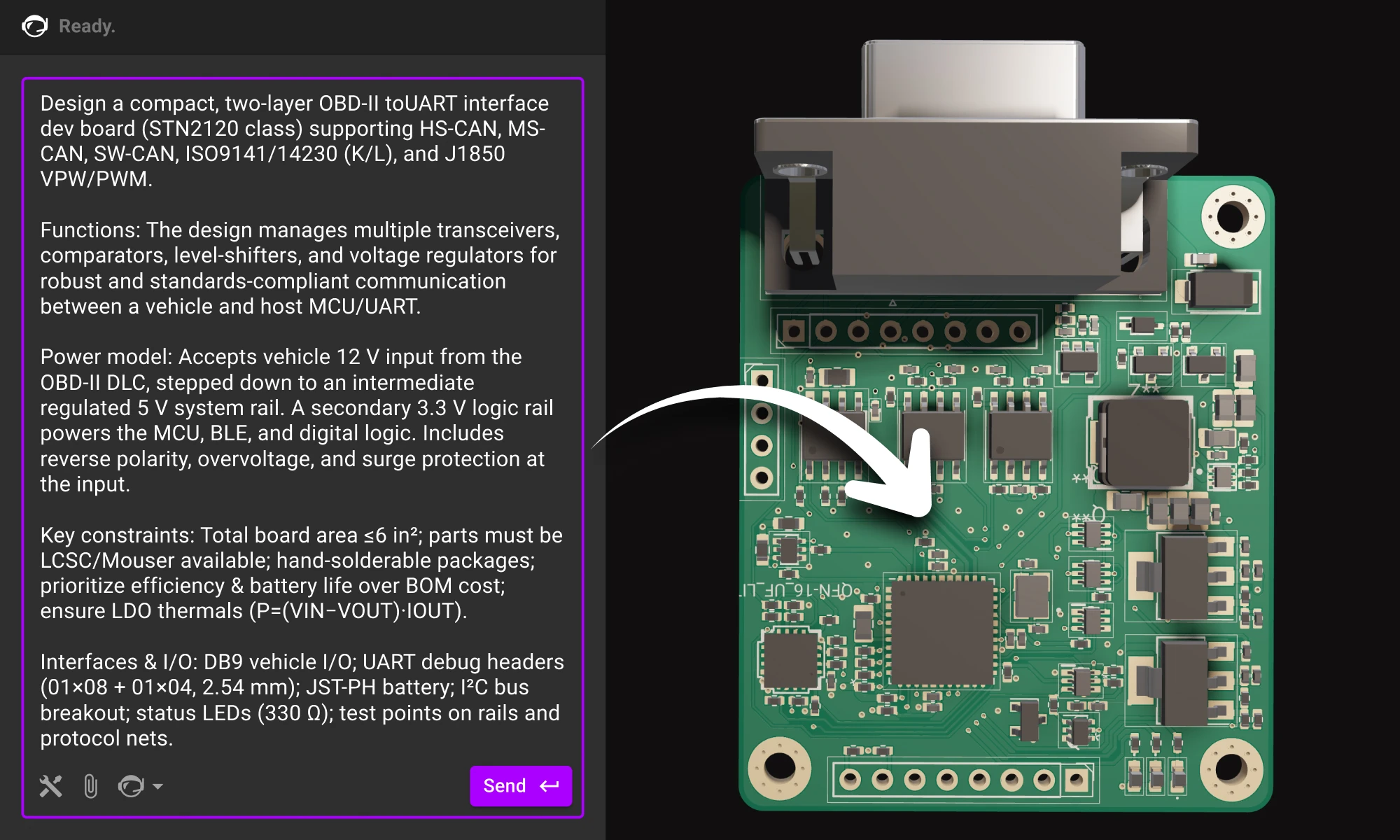
Practical guide to writing prompts that get quality results from Flux. We’ll talk about the anatomy of a good prompt and how you can use different LLMs to come up with a great prompt.

For months, we’ve been adding new features and functions to Copilot to help make it the most powerful AI for hardware design in the world. Today, we’re announcing what might be the biggest upgrade yet: Copilot Vision.

Want to design your own macropad? Discover how to create one using the Raspberry Pi Pico 2 and Flux's AI Auto-Layout. From schematics and components to PCB layout and firmware, we’ve got you covered. Boost your productivity with a custom macropad—start building today!

Copilot bridges the firmware<>hardware gap by providing firmware engineers with direct access to hardware information like netlists and pins, streamlining firmware development and reducing delays.

Flux Copilot’s new AI-powered part search makes finding and placing components faster and easier using natural language. It eliminates tool-switching and datasheet overload. This streamlines your PCB design workflow.

Flux Copilot helps your team tackle the complexities of PCB cost optimization, identifying hidden savings and providing engineers with actionable insights to streamline design processes and reduce costs.

Effortlessly enhance your electronic product development with Flux Copilot, the innovative design assistant by Flux. With features like schematic feedback, component selection, and design analysis, Flux Copilot leverages the power of AI to accelerate innovation, save costs, and avoid mistakes in your PCB design process.
This guide shows how to collaborate with Flux at the schematic stage. You’ll learn how to describe your intent clearly, guide the AI through design decisions, and review results so each iteration gets smarter.

KiCad revolutionized PCB design by making it accessible to everyone. Flux builds on that foundation, offering a browser-based, AI-powered platform that takes your PCB design experience to the next level.


