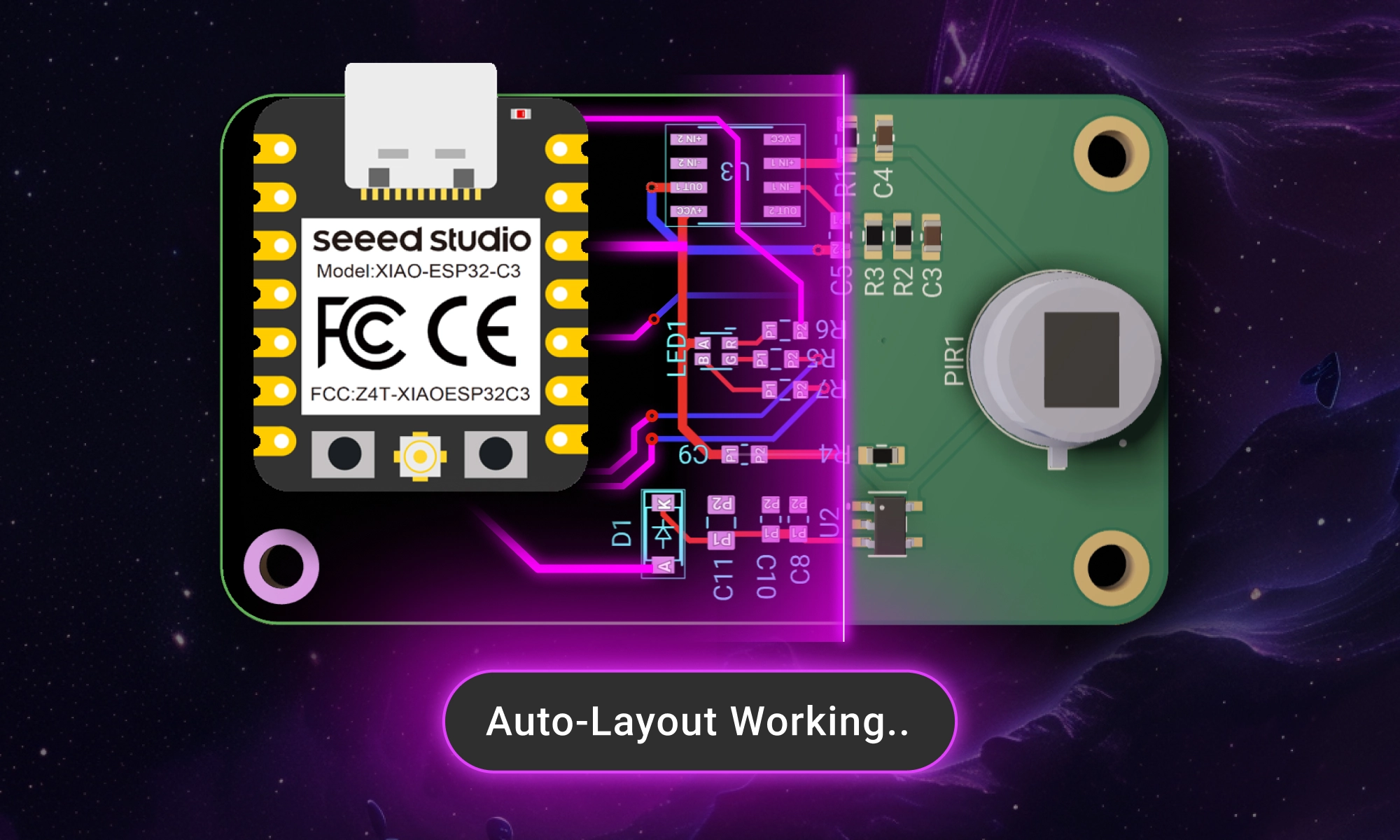
AI Auto Layout’s Winter Update delivers cleaner, more human-like routing with faster, more reliable results. It handles most of the routing workload so you can focus on the critical parts of your PCB design.
With Flux, you can start with a ready-made project or a tailored template, customize it using Flux Copilot, and then let AI Auto-Layout handle the rest. Once your design is complete, Seeed takes over, fabricating, assembling, and shipping your project—at no cost.
That's why we're partnering with Seeed Studio. Together, we’re making it incredibly easy to bring your ideas to life.
With Flux, you can start with a ready-made project or a tailored template, customize it using Flux Copilot, and then let AI Auto-Layout handle the rest. Once your design is complete, Seeed takes over, fabricating, assembling, and shipping your project—at no cost.
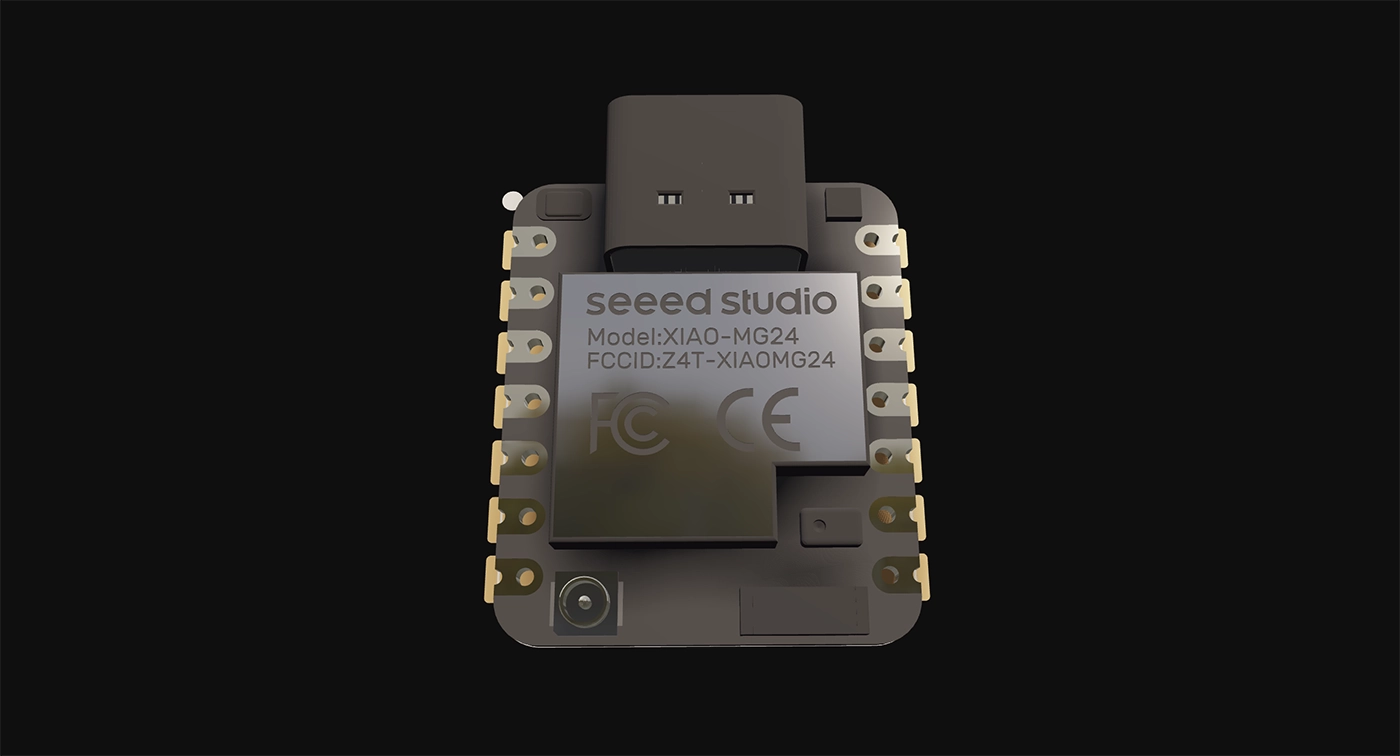
The Seeed organization in Flux has everything you need to get started:
These are complete, functional designs you can use as a starting point:
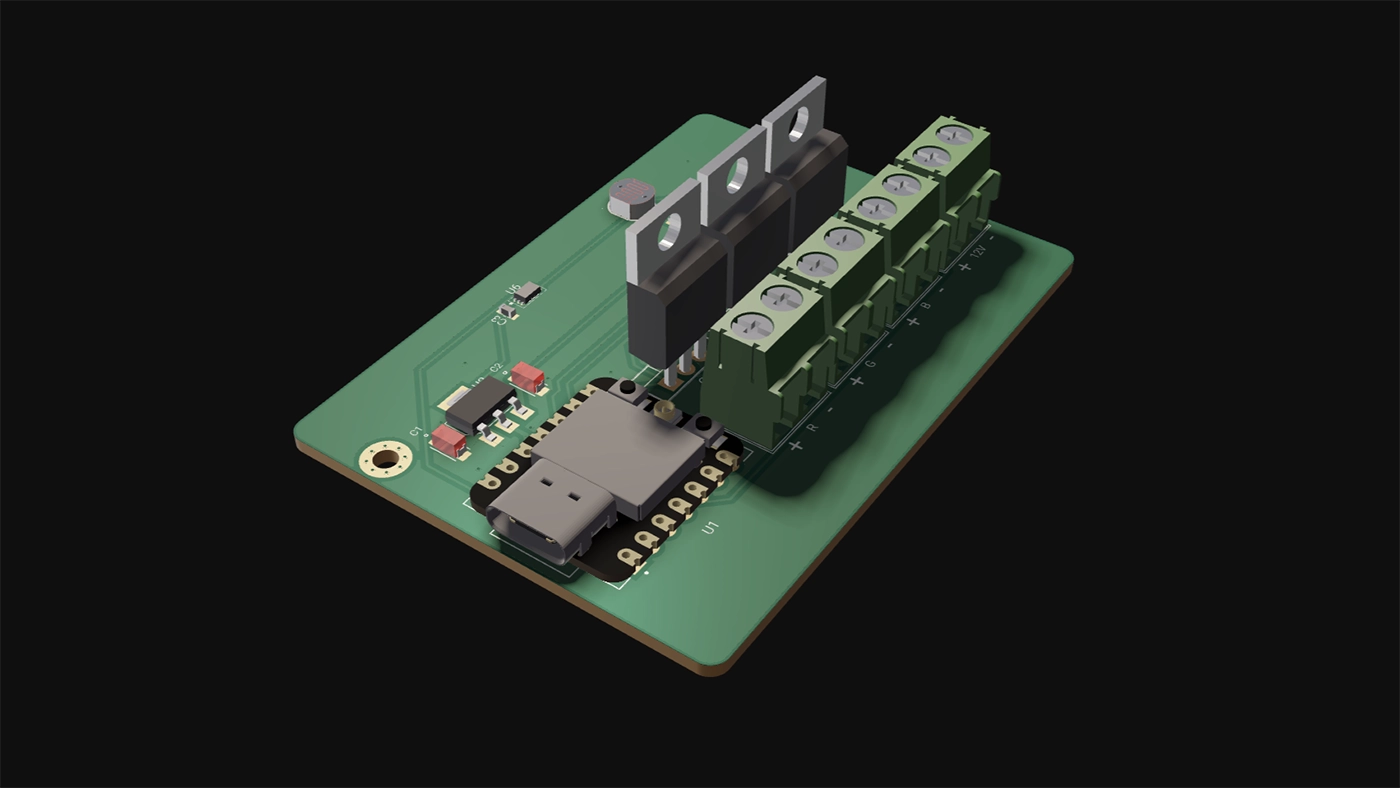
If you’re building something unique, start with one of Seeed’s board templates. These templates include footprints, pinouts, and configurations, so you can get to designing faster without starting from scratch.
Once you’ve cloned a project or chosen a template, Flux Copilot helps you make it uniquely yours. Adding components, swapping LEDs, or refining connections. You can drop in new parts, and Copilot will automatically guide you through their placement and configuration, ensuring your changes fit seamlessly into the existing design.
It’s like having an expert engineer on your team, guiding you through each step. Learn more about Copilot.
Once your schematic is complete, it’s time to move on to the layout. Traditionally, this step can be tedious and time-consuming, but Flux’s AI Auto-Layout changes the game. Instead of routing traces manually, Auto-Layout optimizes your board in minutes.
The AI intelligently routes components, generating clean, manufacturable designs with no extra configuration needed. During the optimization process, you’ll see multiple iterations of your design as the AI progressively improves the layout. Once it’s complete, you can review and select your preferred version, with the assurance that every option is optimized for manufacturing.
{{learn-auto-layout}}
Here’s the best part: through the LED Remix Campaign, Seeed will manufacture and assemble your project—for free.
Create an LED-based design using a Seeed XIAO board in Flux, then submit to Seeed. Their Fusion service ensures your board is produced with high-quality standards and ready to use. Flux and Seeed work seamlessly together, with templates and ready-made projects optimized for manufacturing from the start. Export your Gerber files in just one click, and let Seeed handle the rest.
What you get:
Ready to design? Here’s how:
With Flux and Seeed, it’s never been easier to design, iterate, and manufacture PCBs. Start faster, and bring your ideas to life.
This blog highlights CES 2025 showcased projects, offering insights on how to recreate them using Flux. With Flux AI-driven design tools, component library, and customizable templates, engineers and hobbyists can build inspired hardware like wearables, drones, EV components, portable chargers, and solar devices.
We believe that these exciting new technologies shouldn’t remain the domain of big companies alone. We’re empowering engineers, students, and hobbyists alike to take inspiration from the best in the industry and create their own hardware breakthroughs. Below, we’ve rounded up five of the most buzzworthy projects from CES 2025, along with tips on how you can use Flux to build your own inspired versions.
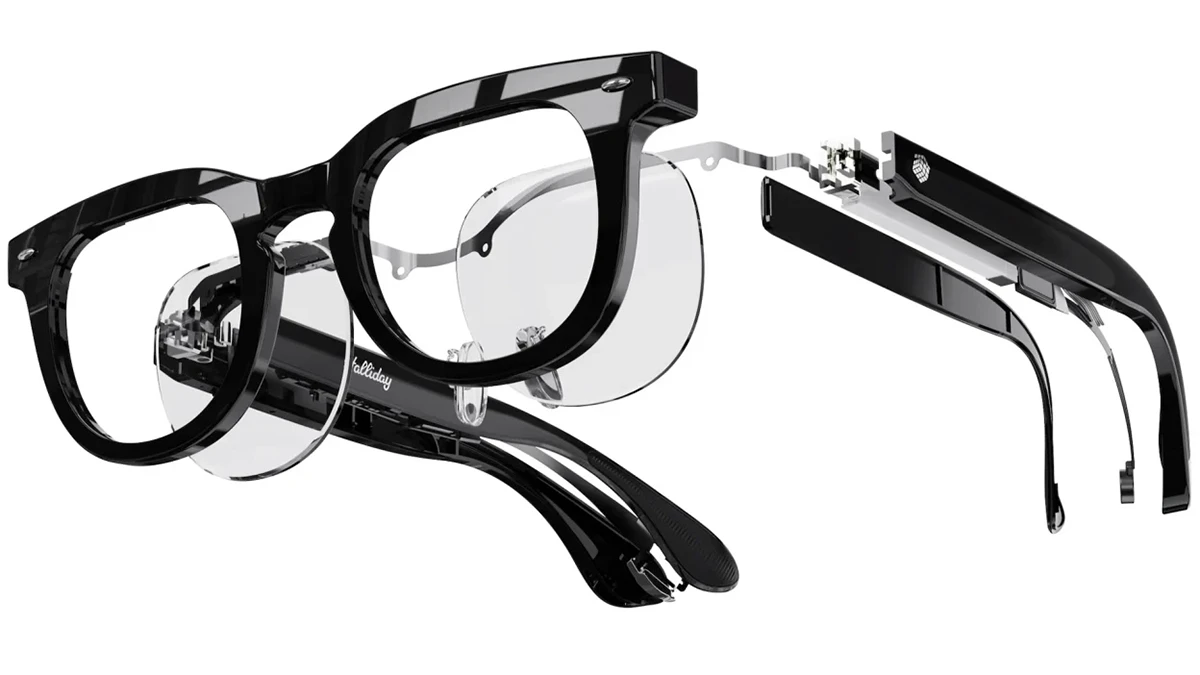
Halliday, a newcomer in the wearable tech scene, unveiled its AI Glasses at CES 2025 . These smart glasses are designed to be lightweight and comfortable for everyday use. They feature a unique "DigiWindow" display that projects information directly into the user's field of vision. This display can be moved horizontally across the frame and twisted to bring the screen into focus, ensuring optimal viewing for different users . The glasses also include a proactive AI assistant that anticipates user needs by analyzing conversations, answering questions, and providing additional details without prompting.
Flux offers a rich component library, including microcontrollers, sensors, and displays, allowing you to jump right into creating AI wearables. Use our AI-driven design tools to plan and design your circuit boards, then check out projects like the Biskuit AI pendant or a wearable AI camera, which features microphones, a camera, and wireless connectivity for running AI models. You can also streamline manufacturing by starting with one of our JLCPCB, PCBWay, or SEEED Studio design templates.
A standout at CES 2025, Alux merges STEM education with eSports through a portable drone and a gamified coding platform. Not only does this drone teach programming in Scratch, Entry, and Python, but it also introduces an “arena” concept for drone-based eSports—allowing competitions and immersive gameplay wherever you go. It’s an ideal solution for tech-savvy students and recreational users eager to learn coding while having fun.
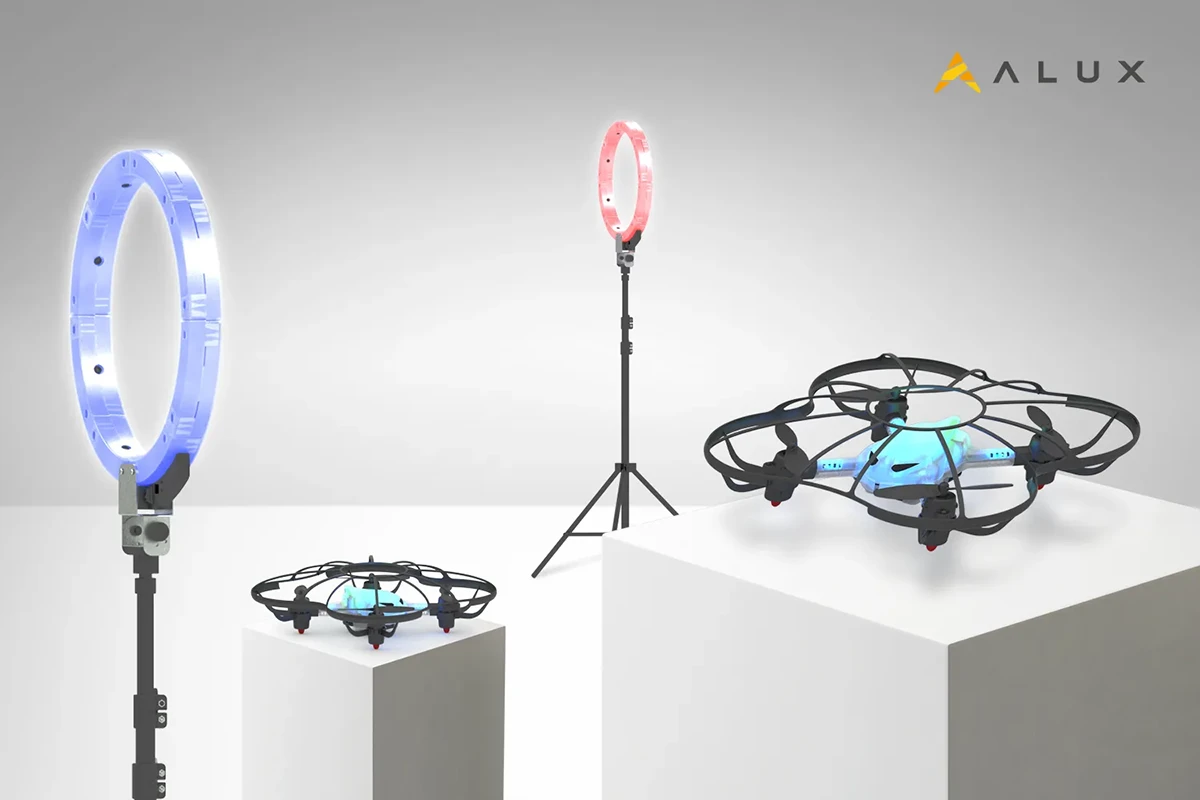
Just like Alux’s portable coding drone teaches programming through Scratch, Entry, or Python, you can take your drone education to the next level by designing and building a custom drone on Flux. It’s a hands-on way to deepen both your software and hardware skills.
Clone an existing project like this quadcopter template or our STM32F4 Flight Controller Template to get a proven setup. Customize your flight controller, add sensors, and integrate AI capabilities using Flux’s schematic editor and AI-driven layout tools.
Honda Zero is the iconic automaker’s latest entry into sustainable personal mobility. Unveiled at CES 2025, this sleek electric SUV combines cutting-edge battery technology, advanced AI-based diagnostics, and a modular design that allows riders to swap out hardware components and upgrade them with minimal hassle. By focusing on zero emissions and high efficiency, Honda is positioning the Zero as a next-generation commuter vehicle for eco-conscious riders everywhere.

If Honda Zero’s modular and eco-friendly approach has you inspired, check out our resources for creating your own electric ride:
Belkin, known for its reliable chargers and accessories, unveiled the Stage PowerGrip at CES 2025—a versatile portable charger with a built-in handle that doubles as a phone or camera grip. Equipped with multiple USB-C and USB-A ports, the PowerGrip can charge several devices simultaneously. Its ergonomic design, combined with fast charging capabilities, makes it a convenient all-in-one power solution for travelers, content creators, and everyday users alike.
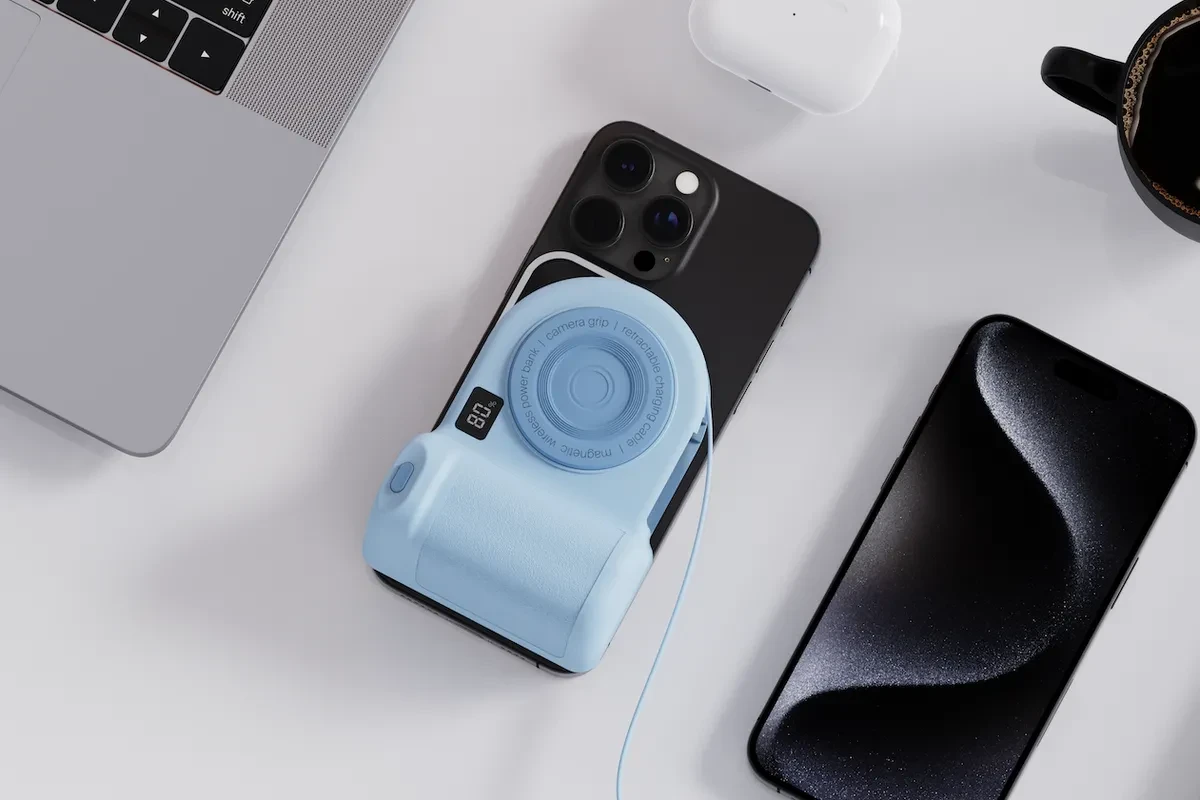
Inspired by the Belkin Stage PowerGrip? Flux has you covered with resources to design and customize your own portable battery packs:
Jackery, a renewable energy company, unveiled its solar-powered roof tiles at CES 2025 . These innovative tiles are designed to be durable, weather-resistant, and visually appealing, offering a sustainable energy solution for homes.

Jackery’s solar roof tiles are a fantastic look at the future of residential energy solutions, but you don’t need an entire roof to start building a solar project of your own. Flux provides a robust platform for designing and prototyping everything from small-scale off-grid systems to more complex solar infrastructure.
CES 2025 was a showcase of incredible hardware innovation, with AI, sustainability, and wearable technology taking center stage. From Halliday’s AI Glasses reimagining wearable computing to Honda’s EV demonstrated the potential of eco-friendly personal transport, the future of hardware is here.
Flux empowers you to be a part of this exciting evolution. Our platform provides the tools and resources you need to explore and contribute to these emerging technologies. Start forking templates, designing custom PCBs, and integrating cutting-edge components to bring your own hardware visions to life.
Explore Flux's featured projects, component libraries, and AI design tools to start building the future of hardware today!
Streamline PCB development with NextPCB templates in Flux, featuring pre-set constraints, AI-assisted layouts, and seamless manufacturing transitions.
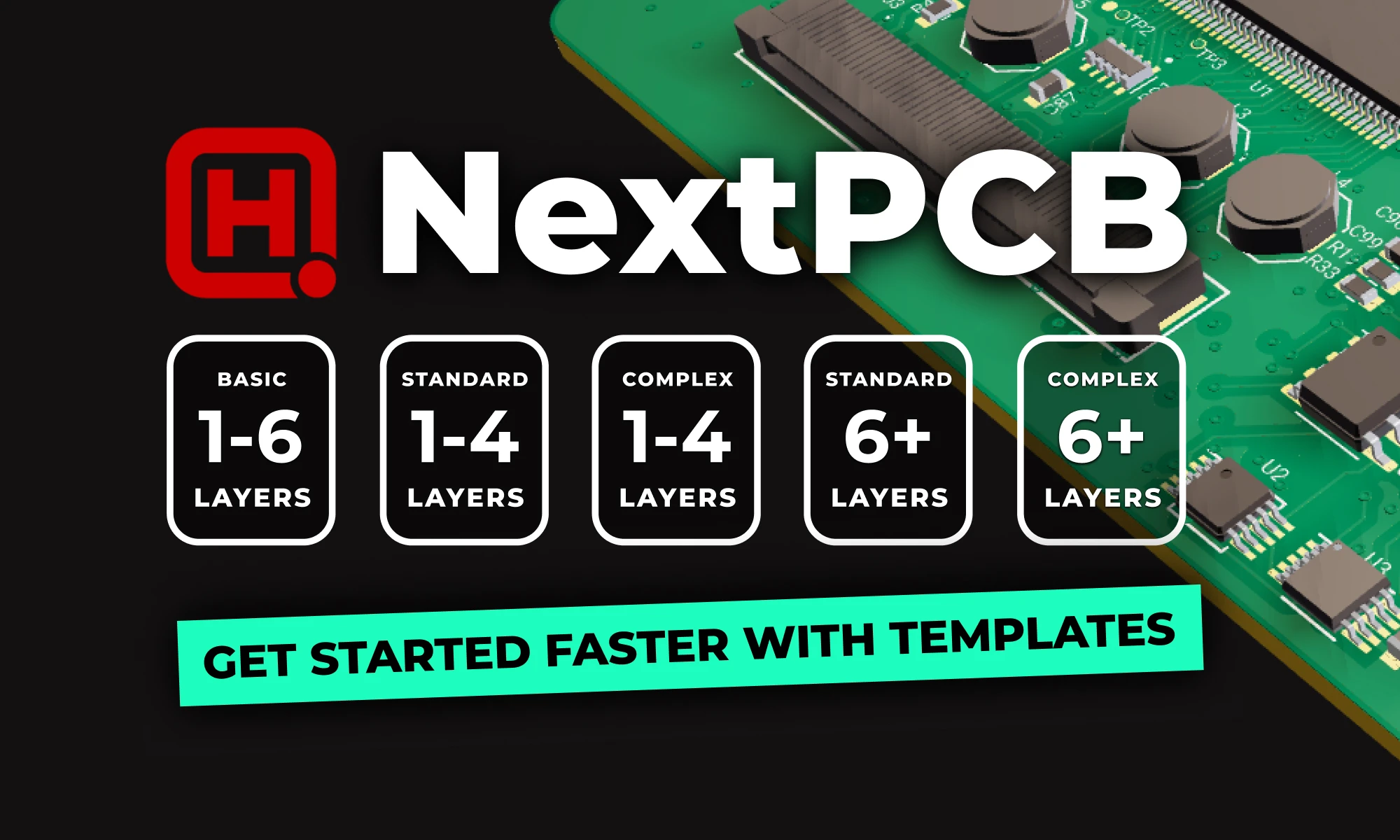
The latest addition to this library comes from our collaboration with NextPCB. Their new manufacturing-ready templates provide pre-configured fabrication parameters, reducing guesswork and ensuring a smoother transition to production.
Starting from a blank PCB layout means manually setting up constraints, verifying design rules, and ensuring compatibility with fabrication processes. NextPCB templates in Flux handle these steps upfront, allowing you to focus on circuit design rather than manufacturability concerns.
We’ve worked with NextPCB to create a range of templates suitable for different PCB complexities and applications:
{{nextpcb-templates}}
To demonstrate how these templates streamline the design process, we developed a compact IoT-enabled sensor board using one of the NextPCB templates in Flux. This design also takes advantage of NextPCB’s latest Accelerator campaign, which subsidizes users who incorporate the RP2350 microcontroller.
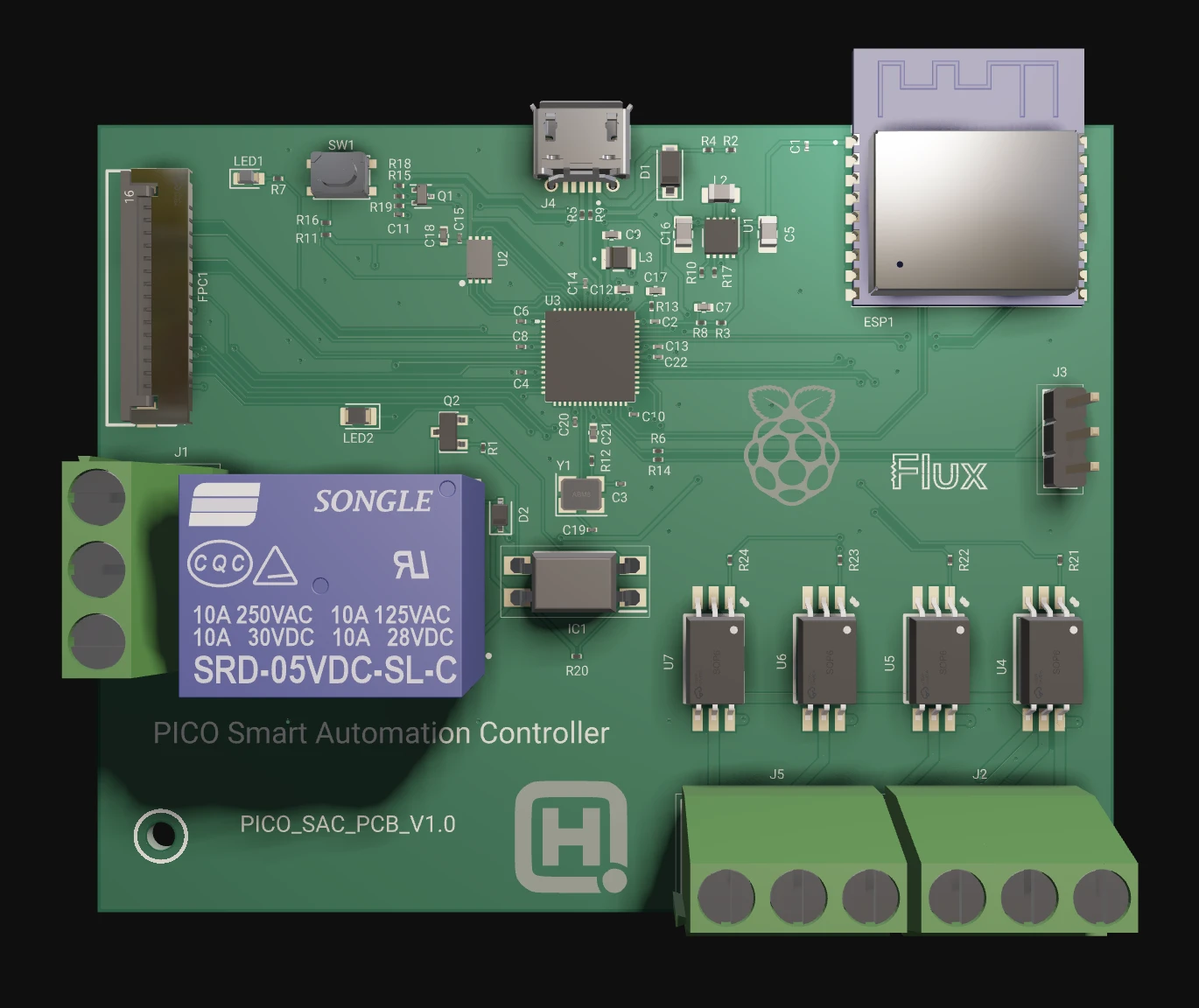
This example highlights how pre-configured templates simplify PCB development, allowing you to iterate and prototype more efficiently.
Once you’ve selected a template, Flux Copilot and Auto-Layout streamline the design process, allowing you to focus on functionality rather than manual layout work.
Once your design is finalized, NextPCB templates make the transition to manufacturing straightforward. With a single click, you can export your Gerber files, ensuring they align with NextPCB’s fabrication requirements. This eliminates compatibility issues and speeds up the production process.
NextPCB has recently upgraded its PCB Assembly Quote System, allowing for instant, automated cost estimation. This removes the need for manual review, significantly accelerating the quoting and ordering process.
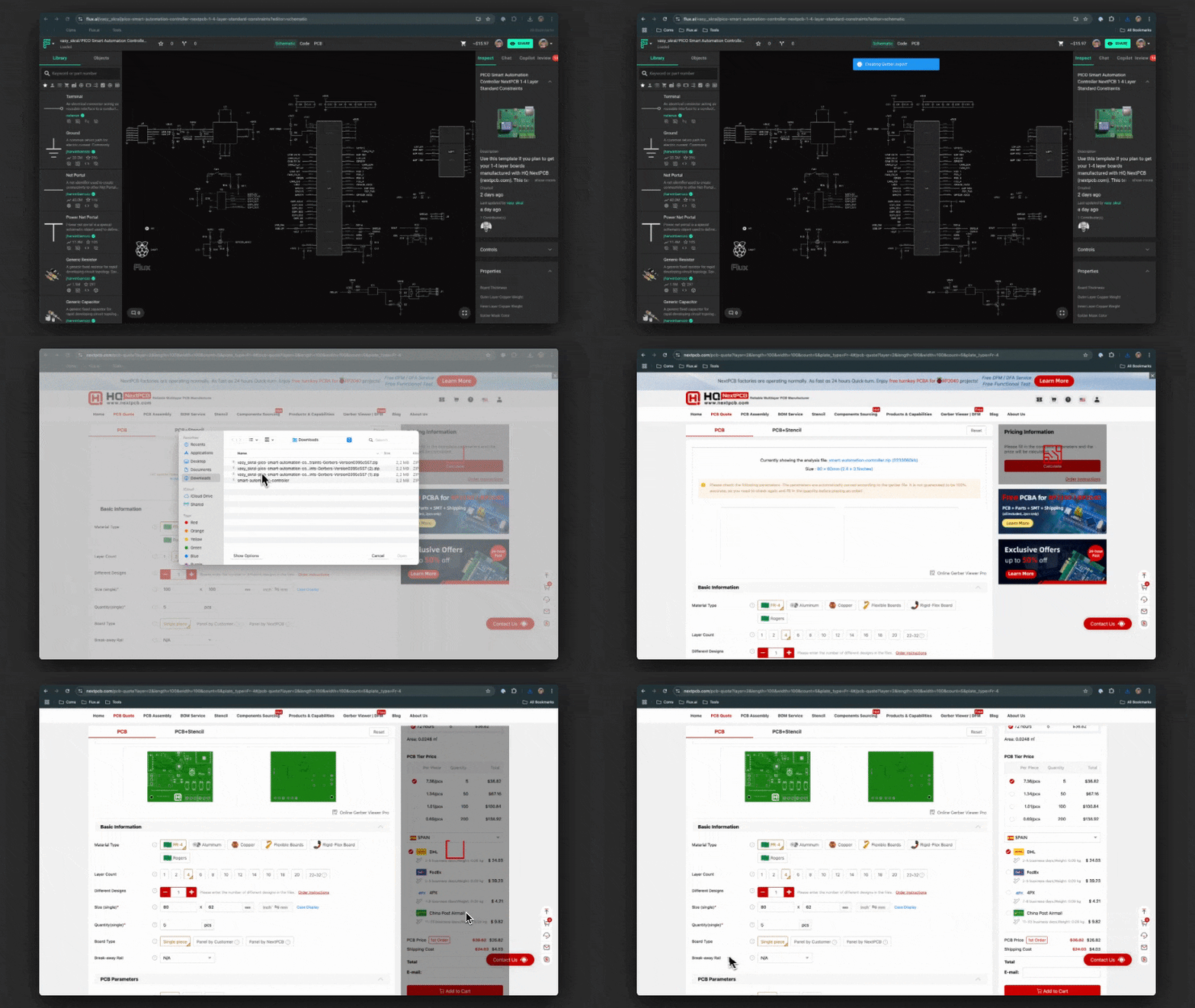
For more details, visit NextPCB’s official ordering guide.
Leveraging pre-configured templates optimizes your PCB design workflow by integrating manufacturing constraints from the outset. You can iterate faster, reduce potential errors, and ensure manufacturability without additional design rule verification.
Flux already offers a wide range of templates from leading manufacturers and community contributors. If there's a specific template you'd love to see added, let us know! We’re always looking to expand our library with designs that help you build faster and smarter.
{{nextpcb-templates}}
Explore more than 20 new Flux Copilot prompts for hardware design. Accelerate brainstorming, component selection, validation and design review to streamline your PCB design.
A lot has happened since then. Thanks to your feedback, we’ve been able to improve Copilot and add even more capabilities. Now you can use Copilot for brainstorming, selecting components, performing calculations, researching and selecting parts, managing BoM, and even validating designs.
We realize that writing a good prompt can be tricky, so we’ve refreshed our list of popular prompts so you can copy and paste, or modify for your own use!
First, let’s define what a prompt is. Copilot prompts are natural language inputs given to a custom-trained large language model (LLM) specifically designed to understand hardware, electronics circuit, PCB design and layout.
For example, if the prompt is "Calculate the load capacitors for Y1", the model will generate an answer in a human-like manner based on the prompt. Remember, Copilot has the context on what you’re working on. Copilot can see your:
Because Copilot lives inside the PCB design tool, it provides direct feedback, advice, and analysis, and with your approval - it can take action, through a simple chat interface. With just a press of a button, Copilot can connect components together.
Spread the word and share your favorite prompts on our Slack Community.
{{top-copilot-prompts-v1}}
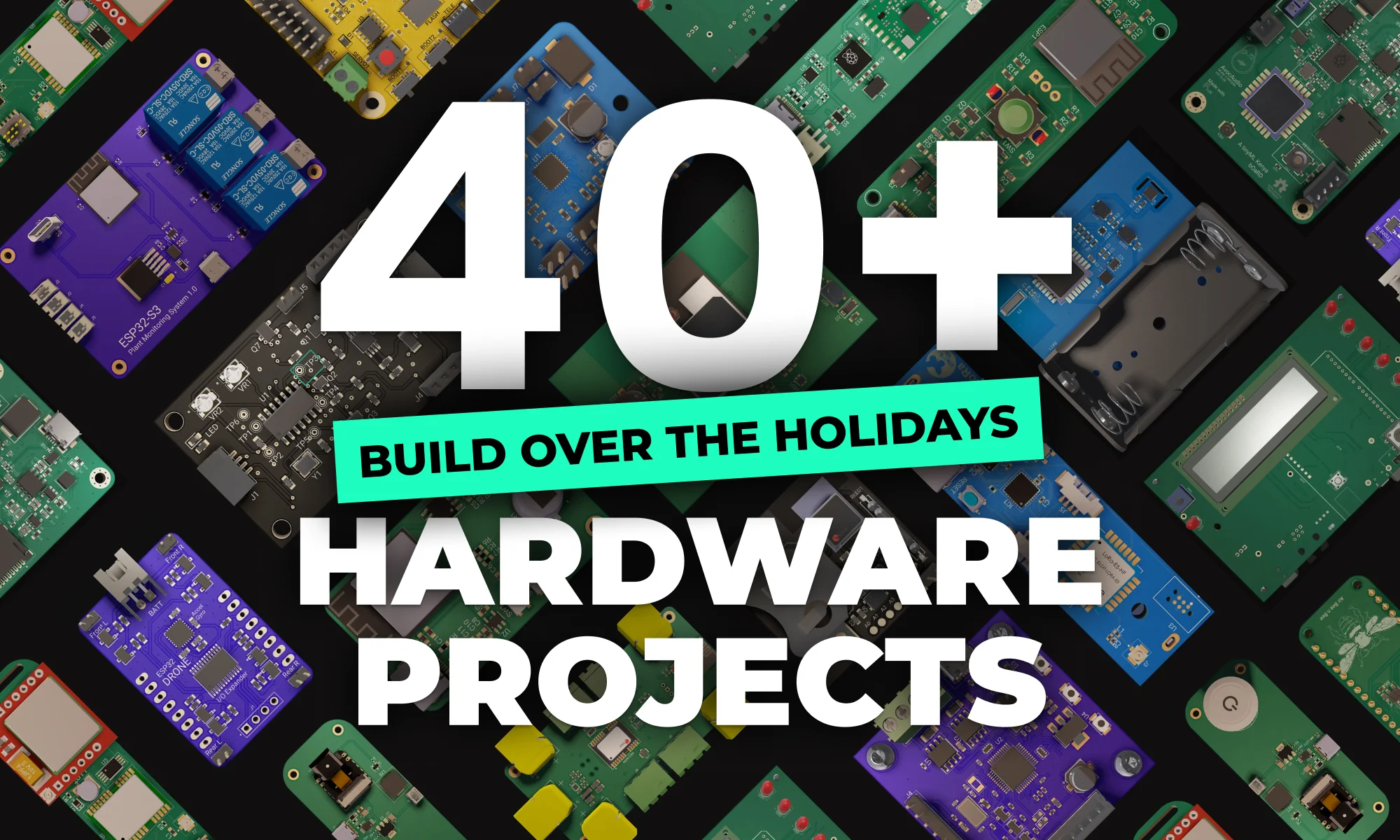
This holiday season is a great time to try something new and unleash your creativity with open-source hardware projects.
From IoT and smart home devices to motor controllers and drones, there’s something for everyone. Plus, working on open-source projects lets you collaborate with a global community of creators, share ideas, and even customize designs to make them your own.
Whether you’re a seasoned maker or just starting out, these 40+ open-source hardware projects are sure to inspire and challenge you.
Simply open any project and fork it to get an instant head start on your custom design.
{{holiday-projects-iot="/p/holiday-projects-library"}}
{{holiday-projects-motors="/p/holiday-projects-library"}}
{{holiday-projects-drones="/p/holiday-projects-library"}}
{{holiday-projects-smart-home="/p/holiday-projects-library"}}
{{holiday-projects-robotics="/p/holiday-projects-library"}}
{{holiday-projects-audio="/p/holiday-projects-library"}}
This holiday season is a great time to try something new and unleash your creativity with open-source hardware projects. Try Flux now for free!
Creating a manufacturable, error-free PCB is never simple. Every engineer knows that missed details lead to production delays, costly revisions, and project setbacks. But what if you could have the power of a seasoned review team guiding you, 24/7?
At Flux, we believe that AI should be more than a tool—it should be a design partner that helps you navigate these challenges and produce better work faster. That’s why we’ve created AI-powered design reviews. It goes beyond traditional ERCs by understanding your project’s context and constraints, helping you catch not only blatant errors but also potential optimizations and nuanced issues. It’s like having an experienced engineer available at all times to review your work and offer guidance.
Electrical Rule Checks (ERCs) are a standard part of PCB design, flagging rule violations such as unconnected pins or electrical loops. While these checks are necessary, they often lack the depth needed to fully understand the broader context of your design. This can leave critical gaps in your review process and result in missed opportunities for optimization or overlooked issues that only surface later.
For experienced engineers, thorough reviews are time-intensive, so they’re often done less frequently. In a small team or startup, you might not always know what to look for, which can lead to overlooked issues Flux’s AI-powered design reviews change that by transforming a traditionally reactive process into a proactive one.
What sets Flux AI design reviews apart is its ability to leverage your project’s context and detailed data—such as part datasheets, application notes, and design constraints—to provide deep, actionable insights that mimic a human expert’s guidance. Unlike simple DRCs, which are limited to binary pass/fail results, Copilot’s checks are context-aware and interpretive. This means you’re not just checking if your design meets basic criteria; you’re getting insights into whether it aligns with best practices, meets safety margins, and is optimized for production.
We also understand that user trust in AI-driven engineering tools is paramount. That’s why we developed these checks to blend deterministic algorithms with AI, striking a balance that ensures accuracy, reliability, and confidence.
We’re launching with targeted reviews that cover essential areas and will be expanding them based on user feedback.
Included in the Beta Release: The first of many checks you can expect
The system always explains why an issue was flagged. This combination of deterministic algorithms and AI ensures that checks are reliable, comprehensive, and adaptable to your specific project.
Flux’s AI design review panel is designed to be intuitive and flexible:
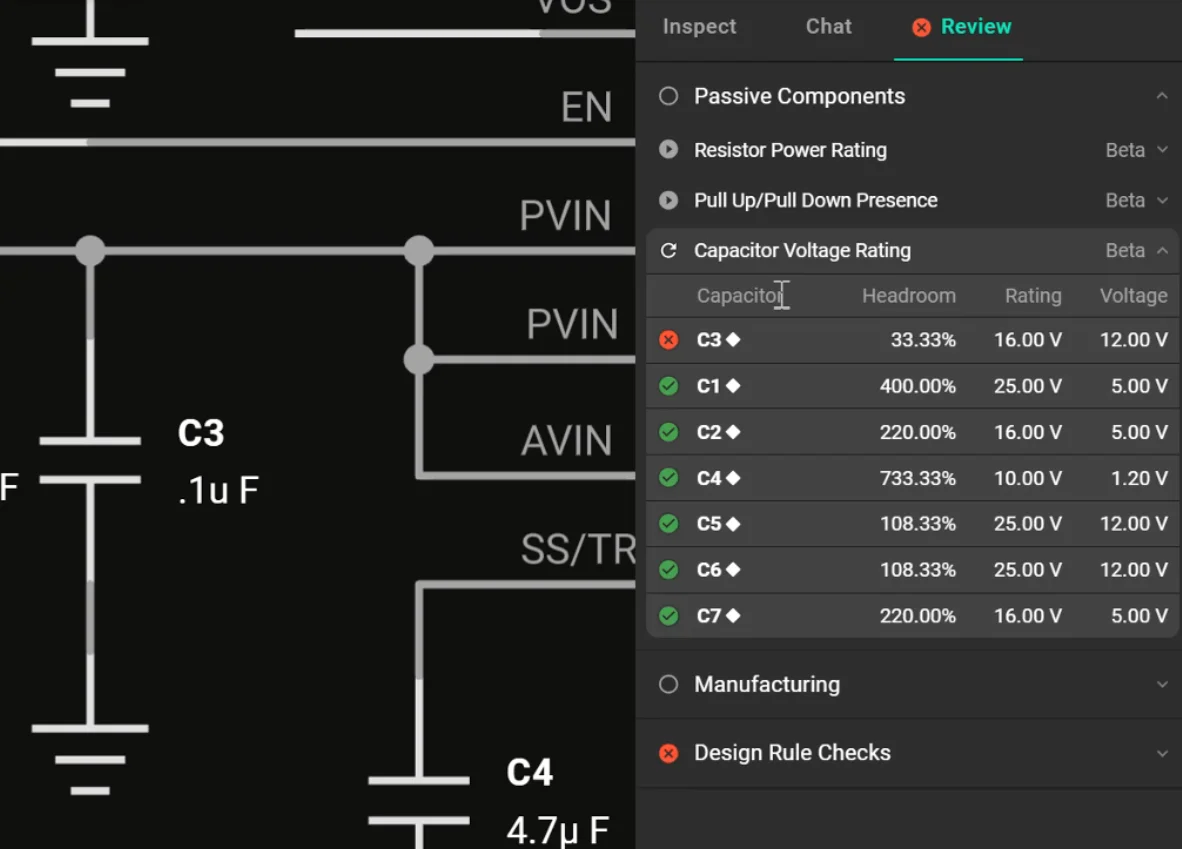
Flux Copilot doesn’t just check for pass/fail criteria; it interprets the constraints of your project and cross-references them with your design. This means that beyond simple ERCs, the AI can flag issues that might otherwise go unnoticed.
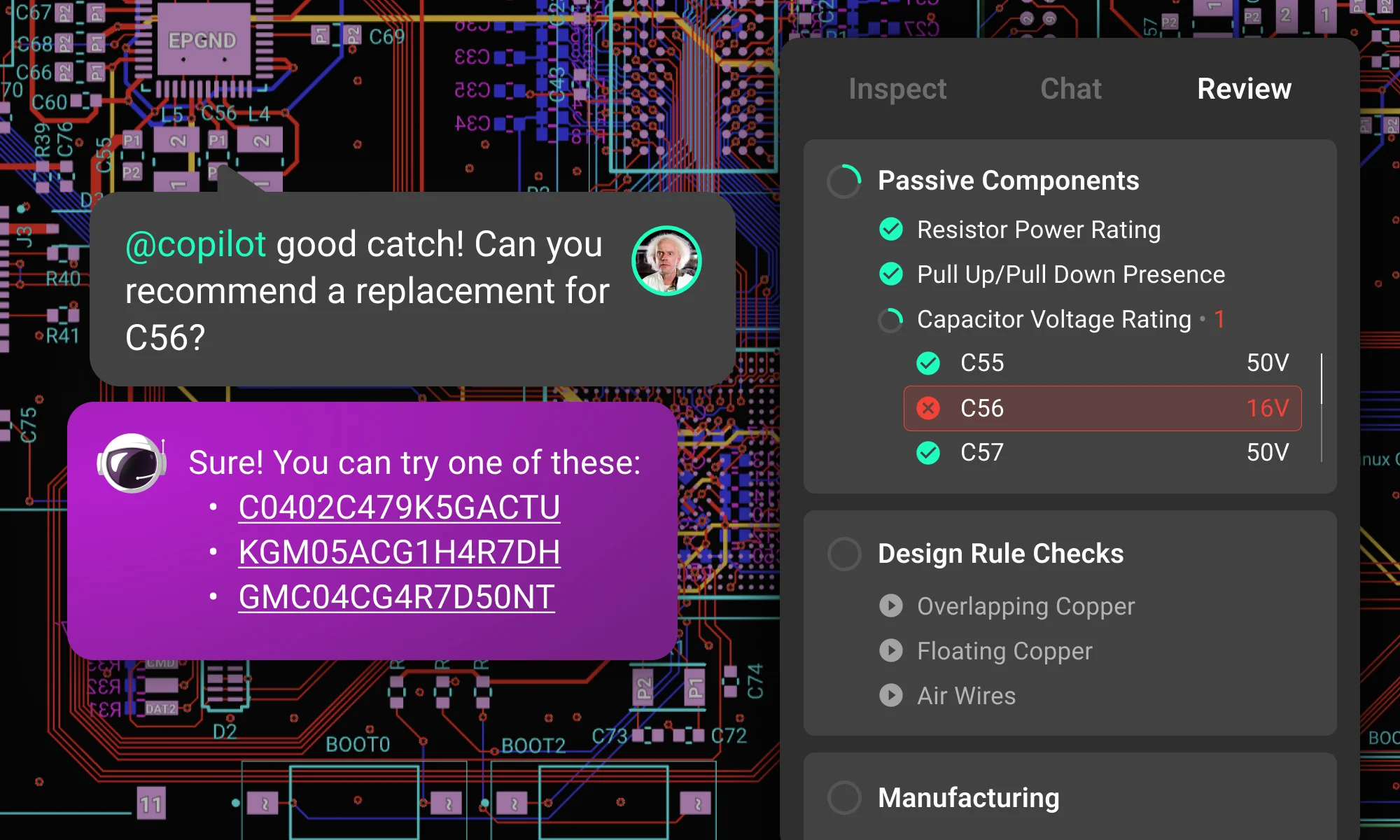
Imagine you’re working on a PCB and running a passive component check. Copilot flags a warning for capacitor C3, stating, “Ceramic Capacitor C3 has a voltage rating of 16V, which is less than the required 50V” . This isn’t just a binary check—it’s context-aware. It understands your circuit’s requirements and knows that a safe voltage margin should exceed 150% for reliable operation.
In the review panel, you see the flagged issue highlighted on your PCB layout, the voltage margin percentage shown, and an explanation of why it matters. This makes it easy to interpret the results and take corrective action quickly, ensuring your design meets reliability standards.
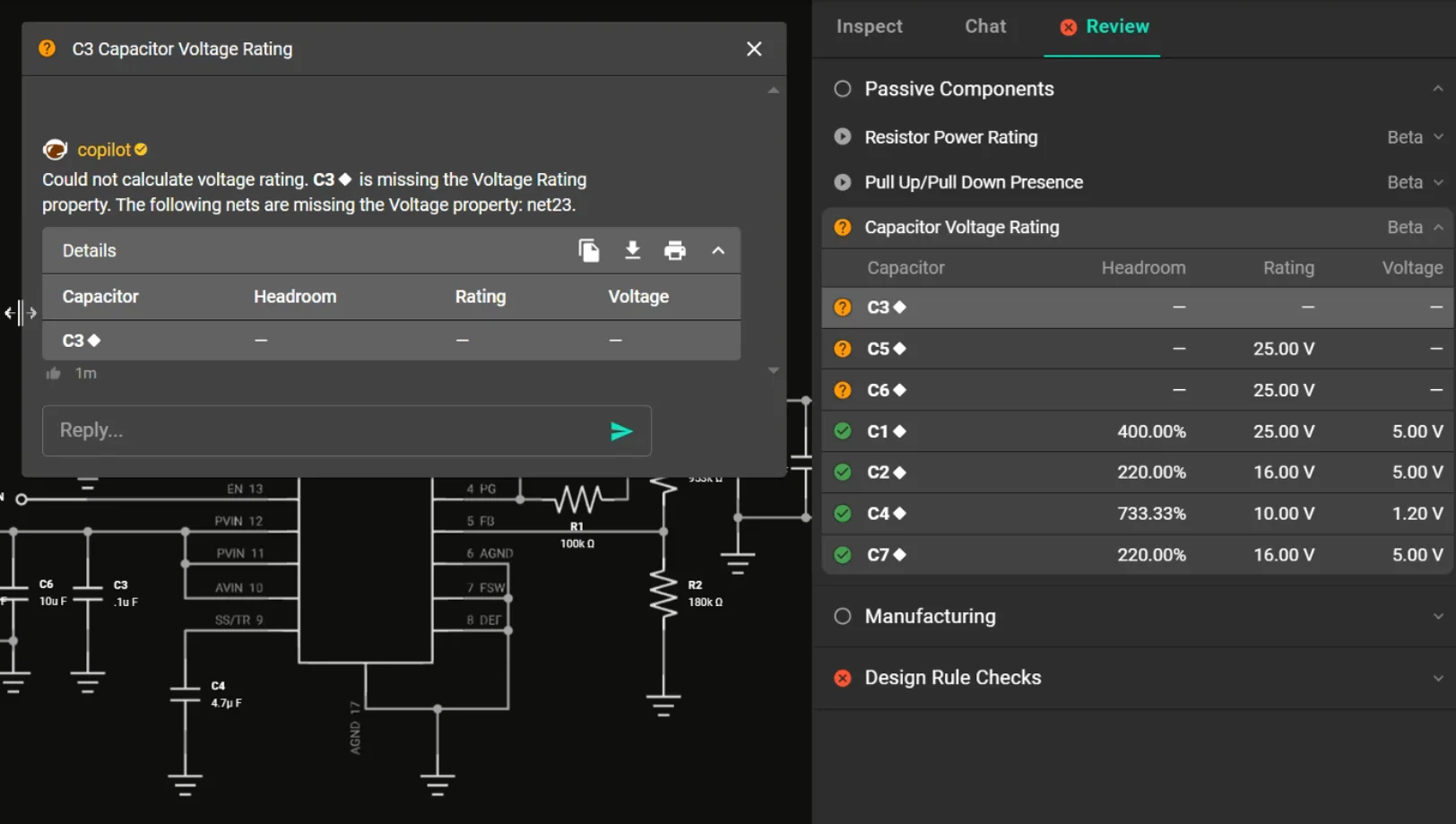
These initial checks are only the start. At Flux, we’re committed to continuously evolving our platform based on your feedback. Have specific checks or features you’d like to see added? Share your suggestions in our feedback portal. Your insights are invaluable in making Flux an even better design partner.
With AI as your partner, design reviews are more thorough and run more frequently, resulting in safer designs. Flux is here to help you focus on what you do best: creating innovative, reliable hardware.